On this page
Every HVAC service center starts on WhatsApp. It makes complete sense — it's free, everyone already has it, technicians know how to use it, and when you have 3 or 4 people on the team, it genuinely works. A customer calls, you type the address into the group, someone picks it up, job done.
This post is not about WhatsApp being bad. It's about what happens after you cross 5 technicians, 15 jobs a day, and 2 or 3 people trying to coordinate simultaneously. At that point, WhatsApp stops being a tool and starts being the problem. For the full software selection checklist, see our field service management software India guide.
For the full AC repair business workflow beyond dispatch, use the AC service center management software guide. For the focused daily assignment workflow, use the HVAC dispatch software guide.
Short answer
To manage AC service calls without WhatsApp chaos, keep WhatsApp for customer communication but move the operating record into service software. Every complaint should become a job with customer details, technician assignment, status, visit proof, parts used, invoice handoff, payment status, and follow-up history. That gives the office a source of truth instead of a chat stream.
For the broader workflow, connect this dispatch approach with AC service center management software, HVAC dispatch software, technician tracking, mobile job cards, and a service CRM that replaces WhatsApp and Excel.
How WhatsApp Dispatch Actually Works (We've All Been There)
Let's be honest about the actual workflow before we talk about fixing it.
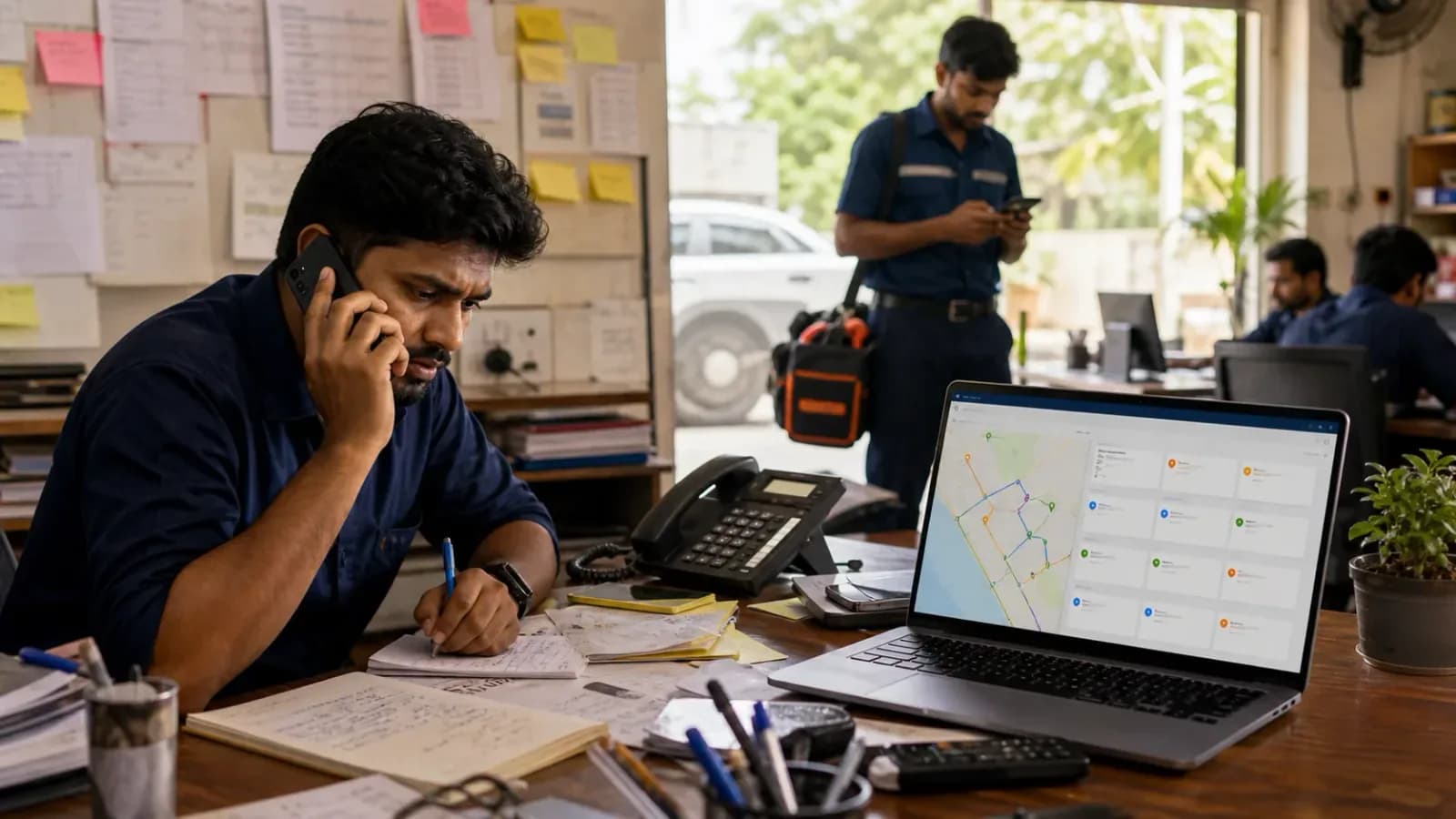
A customer calls with a complaint — AC not cooling, water dripping, making a noise. You take down the details verbally or on a notepad, then type them into the technician group: address, customer name, maybe the AC model if the customer mentioned it. You send the message and wait.
Whoever sees it first responds. Maybe they say "I'll take it." Maybe they just acknowledge with a thumbs up. Maybe two people respond at the same time and there's a brief back-and-forth about who's closer. Meanwhile, you've already moved on to the next call.
By noon, the group chat has 80 messages. By 5 PM it has 200. Somewhere in those 200 messages are job acceptances, photos customers sent via DM that you forwarded to the group, technicians asking for the customer's floor number, questions about which spare part to use, and a few unrelated messages your most talkative technician sent about last night's match.
When a customer calls back to ask where the technician is, you scroll. When you need to invoice at the end of the day, you scroll. When you want to know why Job 14 was never completed, you scroll.
This is not a workflow. This is archaeology.
The 7 Failure Modes of WhatsApp Dispatch
These aren't theoretical edge cases. These are things that happen regularly at any service center managing more than 5 technicians on WhatsApp.
1. Double bookings
Two technicians see the same message and both respond within seconds. You're dealing with another call and don't catch it. Both of them head to the same address. One of them could have taken a different job in that time — a job that was waiting. The customer thinks it's funny until they get billed for two technicians.
2. Missed messages
A technician's phone is on silent during a previous job. By the time they see your dispatch message, 45 minutes have passed. The customer has already called you twice asking where the technician is. The technician is now technically available but the job is in the wrong part of the city for them to take.
3. No customer history
A customer calls and mentions "the issue keeps coming back." You have no way to check whether this is the third time this has happened, what was done previously, or which technician handled it. You're starting from scratch every single time, which means your technician will too.
4. Lost photos
You ask a customer to send a photo of the unit or the leakage. They send it to you on WhatsApp. You forward it to the group. Four days later, when there's a billing dispute or a warranty question, those photos are buried somewhere in the group history — if they haven't been deleted by the media auto-cleanup settings someone has on their phone.
5. No proof of service
A customer disputes that your technician showed up. The technician insists they were there for two hours. You have no timestamp, no location record, no before-and-after photo with metadata. All you have is the technician's word against the customer's. In the best case you lose the argument. In the worst case you lose the customer.
6. No way to see who's free
When a job comes in and you need to assign it urgently, there is no dashboard you can look at. You call one technician — busy. You call another — on their way back from a job, might be free in an hour. You call a third who says yes but you're not sure they're actually close to the job location. The assignment goes to whoever answered the phone, not whoever made the most sense.
7. No billing trail
The job is done. The technician calls to say they finished. You make a note. At the end of the day you're trying to reconstruct what was done, which parts were used, and what to charge. The technician forgot to mention the capacitor they replaced. The customer gets an incomplete invoice. You've undercharged and you won't find out until next month when you try to reconcile.
Each of these, on its own, is a minor annoyance. Together, across 15-20 jobs a day, they're the reason your service center's revenue is lower than it should be.
What a Day Looks Like With vs Without a System
Let's put this into a concrete scenario: a 10-technician HVAC service center with 18 jobs on a Thursday.
Morning, 9 AM
Without a system: You have 6 jobs from yesterday's calls that haven't been formally assigned. You type them into the WhatsApp group one by one. The technicians are already on the road for some of them. One message from last night went unread.
With a system: You open the dispatch board and see all 6 pending jobs, each technician's current location, and who's available. You assign the jobs in under 5 minutes. Each technician gets a notification with the customer's address, phone number, and a note from the last visit.
Midday, 12:30 PM
Without a system: A customer calls to ask where the technician is. You scroll through the group to find the job you assigned two hours ago. You find it but you don't know if it was accepted. You call the technician. He's running late and forgot to mention it.
With a system: You check the job status in the app. It shows "Technician en route, last seen 2.3 km from customer address." You call the customer back with an accurate update in 30 seconds.
Late afternoon, 4 PM
Without a system: Three jobs were completed but you're not sure if parts were used. You call each technician. One doesn't pick up. You'll follow up tomorrow, but you'll probably forget.
With a system: All three technicians marked their jobs complete in the app, logged which parts were used, and uploaded a photo of the completed work. The invoices are already drafted and waiting for your review.
End of day, 7 PM
Without a system: You're still on your phone, scrolling through the day's messages, trying to figure out the status of a job that was assigned but you never heard back about.
With a system: Every job has a status. The one you're worried about shows "On hold — customer requested reschedule." The technician updated it at 3 PM. You're done in 20 minutes.
The jobs were the same. The technicians were the same. The difference was the tool.
"But My Technicians Won't Use New Software"
This is the most common objection, and it's worth taking seriously because it comes from a real place. You've tried to change things before. You introduced some app and nobody used it. You're not sure your technicians — many of whom might not be digitally fluent — will adapt.
Here's the honest answer: a well-designed field service app is simpler than WhatsApp for a technician, not more complicated.
On WhatsApp, a technician has to read the message carefully, understand the job, figure out if they should take it, type a response, and then remember all the details throughout the visit. There's cognitive load in all of that.
In a proper dispatch app, the technician sees one screen: their assigned job with the customer's name, address, and phone number. They tap "Start" when they leave for the job. They tap "Arrived" when they get there. They tap "Complete" when they're done and take a photo. That's it.
Beyond simplicity, most modern field service tools send WhatsApp notifications as part of the flow. The technician still gets a WhatsApp message — it just has a link to the job details rather than requiring them to scroll back through a group chat to find them. The familiar ping is still there. The chaos isn't.
Training takes about 15 minutes for most technicians. The ones who resist most at first tend to become the strongest advocates, because they quickly realize they're no longer getting blamed for jobs they never saw or customer complaints they have no way to refute.
For a broader look at why technician accountability matters and how GPS tracking fits in, see our piece on GPS tracking for field service.
The Migration Plan: WhatsApp to System in One Week
You don't need to make a dramatic switch. The cleanest way to migrate is a parallel run — you keep WhatsApp going while the new system becomes the source of truth.
Day 1 and 2: Admin runs both
You enter all new jobs into the dispatch system as you take the calls. You also post them to the WhatsApp group as usual. Nothing changes for the technicians yet. You're just getting used to the new tool yourself and confirming the system works before you ask anyone else to change their behavior.
Day 3 and 4: Technicians start accepting in the app
Let the team know that from now on, jobs are official once they're accepted in the app — not just by replying in the group. The WhatsApp posts continue as a backup, but when a technician opens the app and taps "Accept," that's the record. If there's a dispute about who took which job, the app is the authority.
Day 5 to 7: WhatsApp group becomes announcements only
Stop posting individual jobs to the group. Use it for things like "there's a new batch of spare parts in the warehouse" or "there's a traffic jam on the main road, take the alternate route." The operational dispatch is now fully in the system.
By week 2: The group goes quiet on its own
You won't need to announce this transition. The group will naturally go quiet because there's nothing operational to say there anymore. Some teams leave the group open for casual conversation. Others archive it. Either way, it's no longer the thing your business depends on.
You Don't Have to Leave WhatsApp Entirely
Your customers will keep messaging you on WhatsApp. That's fine — it's where they're comfortable, and you should meet them there. A customer sending you a photo of their AC making a strange sound, or asking for a callback, is a natural use of the platform.
The part that shouldn't be on WhatsApp is everything that happens after that first message. Job dispatch, technician assignment, status tracking, photo documentation, and billing should all live in one place where you can see everything, search everything, and report on everything.
The goal isn't to eliminate WhatsApp from your life. The goal is to stop running your service operation out of it.
For the broader customer-follow-up layer beyond AC dispatch, read our guide on how Indian service businesses can replace WhatsApp and Excel with a simple service CRM.
For the full picture of what a structured HVAC service operation looks like — including dispatch, inventory, AMC management, and billing — read our complete guide to running a modern HVAC service center.
FAQ
Should an AC service center stop using WhatsApp completely?
No. WhatsApp can stay useful for customer messages, photos, and quick updates. The risky part is using WhatsApp as the only place where jobs, technician assignments, service proof, parts, billing, and follow-up are tracked.
What should replace the AC service WhatsApp group?
Replace the operational part with a dispatch and job management system. Each service call should have a job record, assigned technician, status, customer history, photos, parts used, invoice handoff, and closure notes.
How do technicians adapt if they are used to WhatsApp?
The easiest rollout keeps WhatsApp notifications but links each notification to a structured job card. Technicians still receive a familiar alert, but the actual job details and closure flow live in the service app.
What is the biggest benefit of moving AC dispatch out of WhatsApp?
The biggest benefit is visibility. The owner or dispatcher can see which jobs are pending, assigned, in progress, completed, invoiced, unpaid, or rescheduled without scrolling through hundreds of chat messages.
KaryaFlow is built for exactly this transition: from WhatsApp-first operations to a structured dispatch workflow that scales with your team. Technicians get official job cards, admins get a real dispatch board, and everyone gets the evidence they need when there is a dispute. See how it works for HVAC service centers.
Ready to modernize your service operations?
Join 50+ service centers already using KaryaFlow. Setup in under 30 minutes, GST-ready from day one.
See how KaryaFlow works for AC service teamsYou might also like
How to Streamline Invoicing for Your HVAC Service Business
Most HVAC service centers lose hours each week on manual invoicing. Here's how to automate billing, collect payments on-site, and maintain clean audit trails.
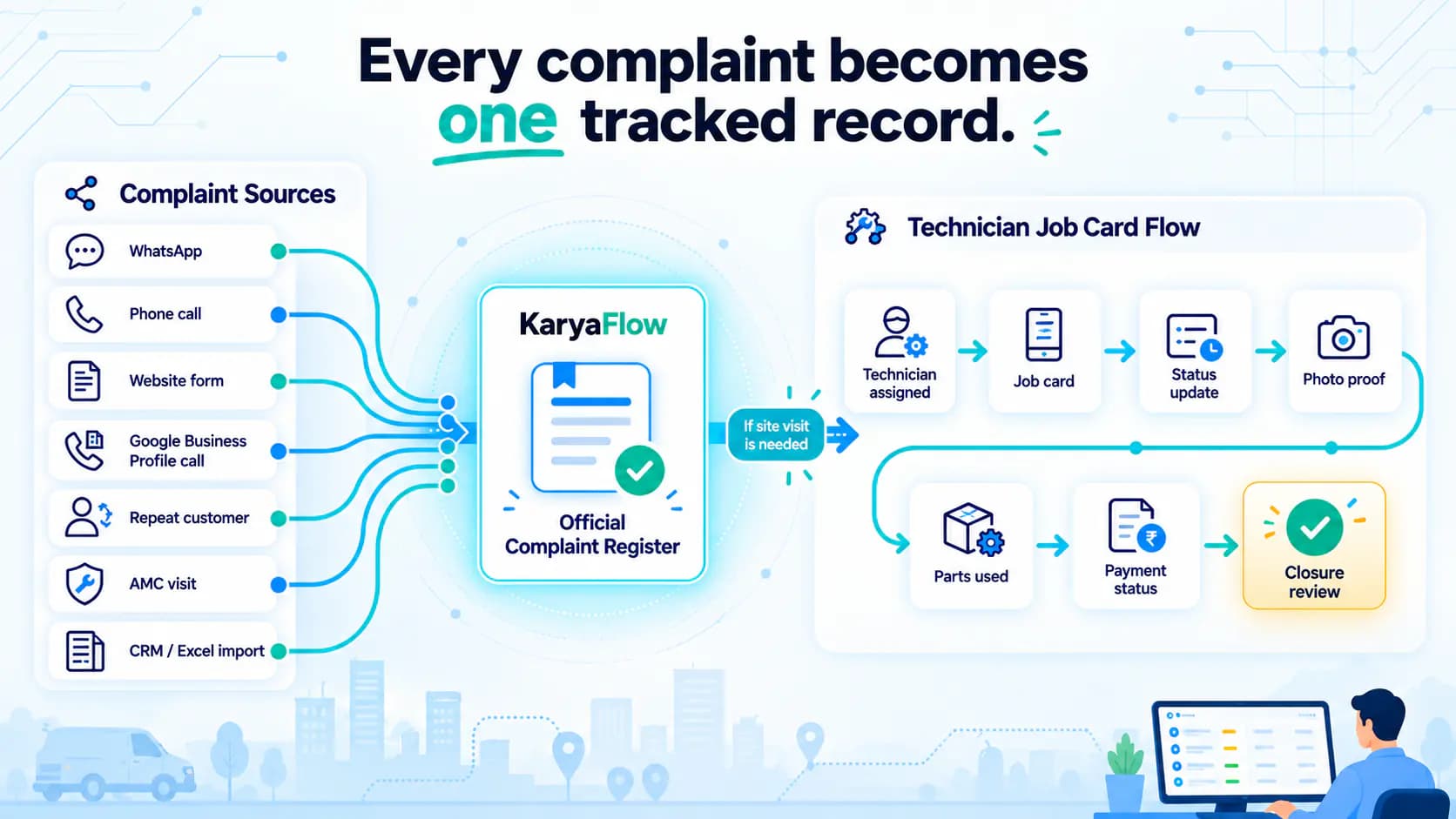
Complaint Register Software India: WhatsApp, Calls and Jobs
Learn how Indian service businesses can receive complaints from WhatsApp, calls, websites, and CRM imports, then turn them into tracked job cards.
Spare Parts Inventory Tracking for AC Service Centers in India
Learn how AC service centers in India can track spare parts from godown issue to technician stock, mobile job card usage, returns, billing handoff, and owner review.