On this page
Last updated: 4 September 2026.
The demand for HVAC services is not slowing down. AC penetration is rising across residential and commercial markets globally. Summer peak seasons keep getting more intense. Every new building that goes up adds units that will need servicing for the next decade or more.
The demand is there. The problem is operations.
Most HVAC service centers still run on WhatsApp groups, physical job cards, and Excel sheets held together by formulas no one fully understands. When a business owner starts looking for HVAC service software, the search results hand them tools built for large enterprises — with enterprise pricing, tax systems built for one specific market, and assumptions about internet connectivity that do not survive contact with real field conditions.
This post cuts through that. Here is what HVAC service software actually needs to do, why so many options fall short, and what you should look for when choosing a platform for your service center. If you are comparing broader service software options, start with the field service management software India guide and the best HVAC software in India comparison. If your shortlist includes enterprise tools, also read our guide to ServiceTitan alternatives for small HVAC businesses.
If your operation is specifically an AC repair or service center, read the more focused AC service center management software guide alongside this HVAC overview.
Short answer
The best HVAC service management software connects dispatch, technician mobile job cards, AMC visits, preventive maintenance schedules, parts or refrigerant usage, GST-ready invoices, payment tracking, and customer updates. HVAC teams should avoid tools that only provide a calendar or generic CRM record, because the real business value comes from closing the loop from complaint to technician visit to invoice and renewal.
For Indian AC and HVAC teams, compare this guide with the deeper AC service center management software, HVAC dispatch software, HVAC preventive maintenance software, HVAC project management software, HVAC customer management software, HVAC inventory management software, spare parts inventory management software, and AMC management software guides before choosing a platform.
Why Most FSM Software Falls Short for HVAC
Field service management software has been around for decades. Companies like ServiceTitan, FieldEdge, and Housecall Pro are mature, well-funded, and genuinely good products for their target markets. The problem for many HVAC service centers is that those target markets may look nothing like yours. A platform can be strong and still fail on GST invoices, UPI collection, offline technician work, AMC visit discipline, or India-style service coordination.
Billing and Tax Compliance
Every HVAC service center has a billing compliance requirement. For businesses in GST-jurisdiction markets, that means the correct SAC code for the service performed (998714 for AC repair and maintenance, 995461 for AC installation), the correct GST rate, and a proper tax breakdown on every invoice. International software often does not support these requirements. You end up generating invoices in the software and then re-doing them in a separate billing tool just to get something your commercial clients can actually use. You are doing the same job twice.
Even where tax compliance is not the issue, invoice format requirements vary. Your commercial clients — offices, hotels, hospitals — have their own accounts payable requirements. A tool that cannot generate the format they need creates payment delays that are entirely avoidable.
Payment Collection at the Job Site
In many markets, on-site payments do not happen via card terminal. UPI, digital wallets, bank transfers, and QR codes are the norm for residential and small commercial customers across large parts of the world. Software that assumes card collection is the default will not match how your customers actually pay. The result is technicians collecting cash, handing it to a back-office person, and hoping the numbers reconcile at end of day.
The right software makes payment collection part of the job completion workflow — whatever method your customers actually use.
Connectivity at the Job Site
Some FSM tools require a live internet connection to function. That is a serious problem when your technician is servicing a commercial unit on a rooftop, inside a basement server room, in a rural area, or anywhere that mobile signal is unreliable.
If the app goes offline mid-job, one of two things happens: the technician pulls out a paper job card — defeating the entire purpose of the software — or the job does not get recorded properly, which creates billing problems and inventory discrepancies later. A properly built mobile app works offline and syncs the moment connectivity returns.
Interface Complexity and Language Barriers
Field technicians spend their day on tools and equipment, not software interfaces. A complex English-language mobile app creates friction, mistakes, and resistance regardless of the technician's background. Multilingual support and simplified mobile workflows matter for the actual people doing the work. Software that was not designed with field-level usability as a priority will have adoption problems, because technicians will fall back to calls, WhatsApp, and paper job cards when the app slows them down.
Pricing Designed for a Different Scale
Pricing is often the most immediate barrier for an HVAC service center. Enterprise FSM tools carry enterprise price tags, while a 10-technician HVAC service business needs practical control over dispatch, job cards, AMCs, parts, billing, and payments. Paying thousands per month for software that still cannot generate the right invoice format or support the payment methods your customers use is not a trade-off that makes sense for a growing service team.
5 Non-Negotiable Features for HVAC Service Software
If you are evaluating HVAC service management software, the five features below are the baseline, not nice-to-haves. Each one should be tested in a live workflow, not accepted as a checkbox on a pricing page. The right HVAC platform should prove that it can move one job from customer request to technician visit, parts usage, invoice, payment status, and AMC follow-up without manual reconstruction.
1. Tax-Compliant Invoicing With the Correct Service Codes
Your software should auto-generate compliant invoices the moment a job is marked complete. For GST-jurisdiction businesses, that means the right SAC code applied automatically based on job type — 998714 for AC repair and maintenance, 995461 for AC installation — with the correct tax rate and breakdown. For other markets, it means whatever invoice format your clients and your accountant actually need.
Your commercial clients — offices, hotels, hospitals — cannot process payments efficiently if the invoice is not in the right format. A properly formatted invoice is not a formality. It is how you get paid without delays.
2. AMC Lifecycle Management With Automated Reminders
Annual Maintenance Contracts are the core of a sustainable HVAC business. We covered this in detail in our guide to running a modern HVAC service center, but the short version is this: if you are managing more than 50 AMC customers on a spreadsheet, you are guaranteed to miss visits, miss renewals, and lose customers who do not call back.
For a broader recurring-service framework, see our guide to AMC management software for Indian service businesses.
Good HVAC software tracks every AMC contract — start date, end date, number of visits included, visits completed, visits remaining — and sends automated reminders when a visit is due and when a renewal is approaching. Your customer should hear from you before they think to call you.
If preventive visits are a major part of your contracts, read the dedicated HVAC preventive maintenance software guide before choosing a platform.
3. Offline-Capable Mobile App for Technicians
An HVAC technician mobile app should work even when the job site has poor connectivity. Your technician should be able to start a job, log parts used, take photos, complete a checklist, and close the job without an active internet connection. The data should sync the moment connectivity returns. This matters on rooftops, basements, plant rooms, rural sites, and commercial buildings where signal drops can otherwise break the job record.
Any software that fails when the signal drops generates paper backup workarounds, and paper backup workarounds undo every operational gain you were trying to make.
4. Customer Notifications Through the Right Channel
Customers do not always check email for service updates. In many markets, they check messaging apps — WhatsApp, SMS, or similar. Your software should send automated notifications at the right moments: when a job is booked, when a technician is on the way, when the job is complete, and when an invoice is ready. This reduces inbound "where is your technician?" calls and makes your service center look professional without any extra effort from your team.
5. Payment Collection Integrated Into the Job Completion Workflow
When a technician marks a job complete, the customer should be able to pay immediately — by whatever method is standard in your market. That payment should be linked directly to the job record without any manual reconciliation step. No cash handling headaches, no "I'll transfer it later" situations, no end-of-day reconciliation that eats into your evening.
This is table stakes for any field service software in 2026.
What a Day Looks Like With the Right Software
Abstract features are easy to list. Here is what they look like in practice, walking through a typical day at a 15-technician HVAC service center.
7:30 AM — Morning dispatch
Your service manager opens the dispatch dashboard. Yesterday's jobs that rolled over are already there. New requests that came in overnight via phone or the customer portal have been logged. The dashboard shows all technicians, their areas, and who has capacity. Jobs get assigned in minutes, not in a back-and-forth WhatsApp conversation.
9:00 AM — Technician gets the job
One of your senior technicians gets a notification: job details, customer address, AC model, service history from the last two visits, and a checklist for a routine AMC service. He navigates using the in-app map link. You can see him moving toward the job on your live map. As described in our post on why GPS tracking matters for field service, this real-time visibility eliminates the guesswork entirely.
If you are evaluating the technician app itself, read our technician tracking app India guide before the demo so you can check attendance, job status, mobile job cards, proof of work, and invoice handoff.
10:15 AM — On-site
He arrives. The app records his arrival via geofence. He starts the job timer and opens the checklist: filter cleaned, gas pressure checked, drainage cleared, capacitor reading logged. He uses 200g of R-32 refrigerant, which auto-deducts from inventory. He takes three photos — before, during, after.
11:45 AM — Job complete
He marks the job complete. The invoice auto-generates with the correct service code, tax rate, and tax breakdown based on the job type. The customer's billing details pull automatically from their record.
The customer receives a message with the invoice attached and pays immediately. Payment confirmed. The job is closed.
12:00 PM — Back on the road
No paper job cards. No calling the office to report completion. No cash to hand over at end of day. The next job is already in the app before he walks out of the building.
This is what 15 technicians running clean operations looks like. No WhatsApp chaos. No spreadsheet reconciliation. No disputed invoices at month end.
For teams where the day starts with OEM or CRM job imports and ends with technician assignment, owner reports, salary-linked expenses, and customer history, use the HVAC dispatch software guide for daily assignment/status control and the HVAC customer management software guide for the pre-dispatch and repeat-complaint side of the workflow.
If your team loses control after parts leave the store, use the spare parts inventory management software guide to test godown stock, technician stock, job-card usage, unused returns, defective returns, and billing handoff.
Choosing the Right Platform
Here is a straightforward comparison of the options most commonly considered for HVAC service businesses:
| Software | Pricing (10 users) | GST Support | UPI/QR Payments | Offline Mode | AMC Management |
|---|---|---|---|---|---|
| ServiceTitan | Enterprise | Configurable | No | No | Yes |
| FieldEdge | Mid-range | Configurable | No | No | Yes |
| Zoho FSM | Affordable | Partial | No | No | Limited |
| KaryaFlow | Affordable | Yes | Yes | Yes | Yes |
Zoho FSM is the most affordable generic option on this list, but it is a general-purpose field service tool — not built for HVAC specifically. AMC lifecycle management requires workarounds, and tax compliance needs manual configuration that most small service centers do not have the capacity to set up. It gets you part of the way.
ServiceTitan and FieldEdge are excellent platforms for their primary markets. For businesses that need built-in GST compliance, UPI payment collection, or offline mobile functionality, they require significant configuration to fill those gaps — if it is possible at all.
The Operational Case for Moving Now
If you are running a service center with real volume — 10 or more jobs a day, 50 or more AMC customers, multiple technicians — the question is not whether you need software. You already need it. The question is whether you will continue using tools that were never designed for your operating context, or move to something that was.
The operational difference is not marginal. Service centers that implement proper field service software consistently see faster dispatch, reduced travel time through better routing, near-elimination of cash collection losses, and AMC renewal rates that improve simply because no renewals fall through the cracks.
Generic software and enterprise tools that require heavy configuration can get you partway there. HVAC-specific workflows — AMC scheduling, refrigerant tracking, equipment service history, job-type-based invoicing — need to work out of the box, not after months of setup.
Getting Started
The right setup for an HVAC service center does not take months to implement. The core operations — dispatch, GPS tracking, job completion, invoicing, and payment collection — can be running within a day. AMC migration takes longer, but you can start with new contracts and migrate existing ones over two to three weeks.
If your current process involves a messaging group for dispatch, a spreadsheet for AMC tracking, and manual billing after the fact, you are not behind the curve on technology. Most service centers are in exactly the same place. The ones that move first compound the advantage.
You can set up and run your first job in under 30 minutes. See what HVAC-specific field service management looks like at KaryaFlow for HVAC service centers. If your main issue is daily job assignment, technician status, on-hold jobs, parts used, and payment updates, read HVAC dispatch software before the demo. If you manage installation or multi-visit site work, read HVAC project management software before the demo so you can test material issue, payment milestones, expense approval, commissioning proof, and AMC handover.
FAQ
What is HVAC service management software?
HVAC service management software is a system for managing AC and HVAC complaints, technician dispatch, job cards, AMC visits, preventive maintenance, parts usage, invoices, payments, and service history in one place. The main purpose is to connect the office, technician, customer, inventory, and billing workflow so the business does not depend on WhatsApp updates, paper job cards, and delayed invoice reconstruction after every visit.
Is HVAC service software different from generic field service software?
Yes. HVAC service software is different from generic field service software because HVAC teams usually need AMC scheduling, preventive maintenance checklists, equipment history, parts or refrigerant tracking, job-type billing, and seasonal dispatch control. Generic field service tools may need heavy configuration to handle those workflows. A strong HVAC workflow should know whether the work is a complaint, installation, preventive visit, gas charging, warranty call, or paid repair.
What should an Indian AC service center check in a demo?
An Indian AC service center should check whether the software can create jobs quickly, assign technicians, capture mobile job cards, track parts, generate GST-ready invoices, manage AMC visits, send customer updates, and show owner-level reports without relying on WhatsApp follow-ups. The demo should use a real AC complaint or AMC visit, including technician proof, part usage, payment status, and invoice handoff. If those steps are separate, the platform may not solve daily field chaos.
When should an HVAC business use ServiceTitan alternatives?
Small HVAC and AC service businesses should compare ServiceTitan alternatives when enterprise pricing, US-market assumptions, or heavy implementation effort do not fit their team size or local billing workflow. Use the ServiceTitan alternatives guide for a buyer-stage comparison.
KaryaFlow is built for HVAC service centers that need more than a generic platform — GST-compliant invoicing, AMC lifecycle management, offline mobile app, GPS tracking, and integrated payment collection. Learn more about the HVAC plan.
Ready to modernize your service operations?
Join 50+ service centers already using KaryaFlow. Setup in under 30 minutes, GST-ready from day one.
See how KaryaFlow works for HVAC service centersYou might also like
Spare Parts Inventory Tracking for AC Service Centers in India
Learn how AC service centers in India can track spare parts from godown issue to technician stock, mobile job card usage, returns, billing handoff, and owner review.
Optimize Your HVAC Business with Field Service Management Software for India!
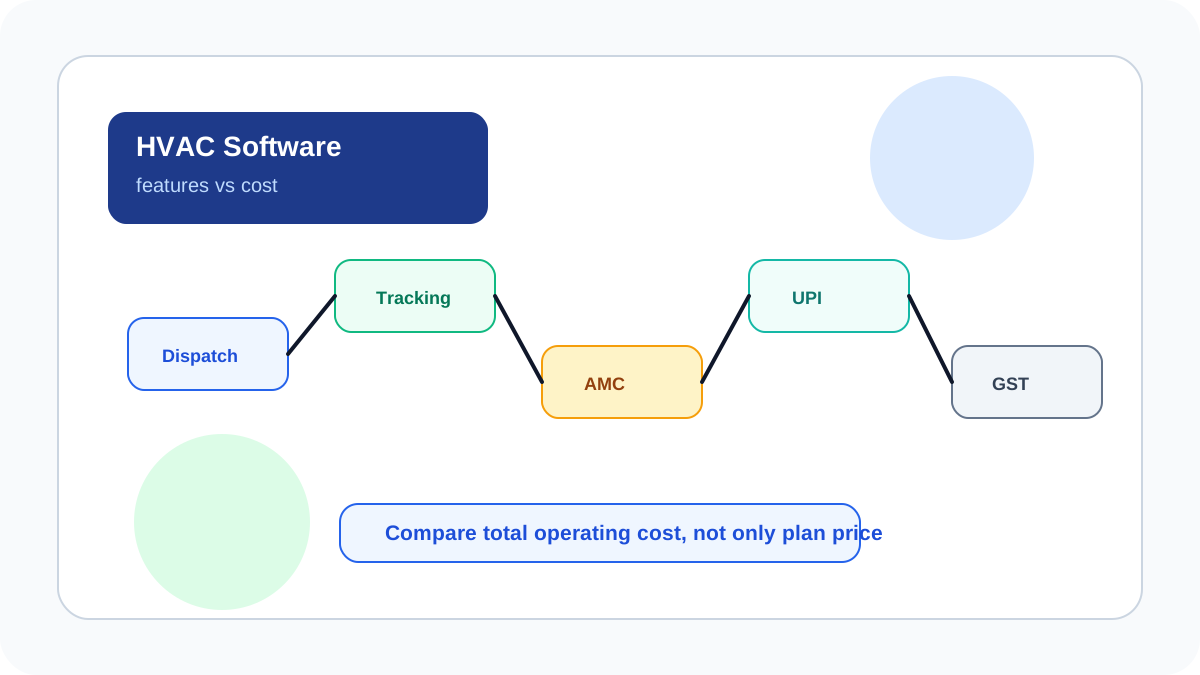
Compare HVAC field service software by features, cost drivers, technician tracking, GST invoicing, UPI payments, AMC, inventory, and KaryaFlow fit for Indian HVAC teams.
Transform Your Services: Essential Field App for HVAC, Plumbing & Electrical!
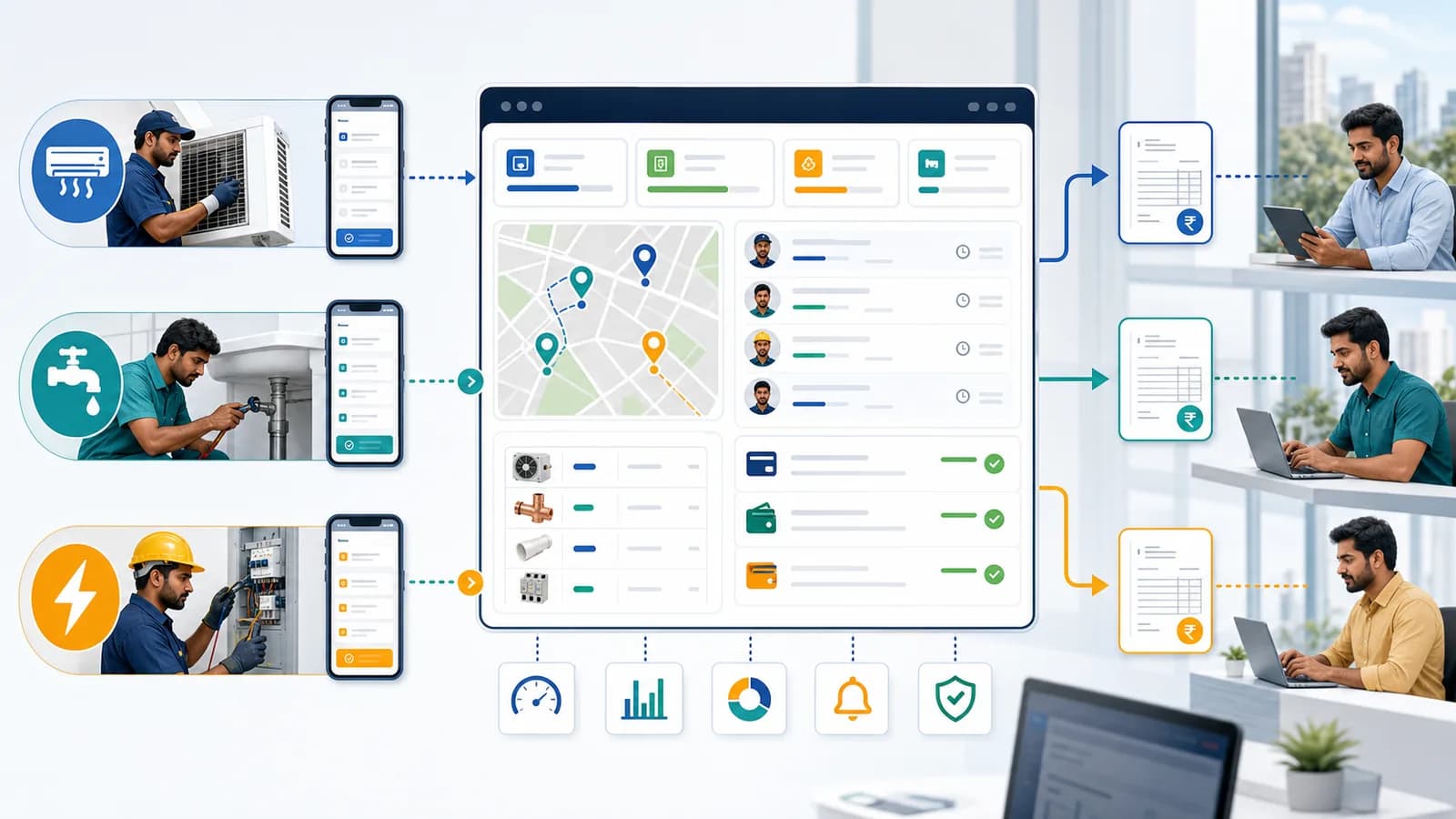
Learn how HVAC, plumbing and electrical companies in India should choose a field service app for dispatch, technician tracking, job cards, parts, payments, GST invoice handoff and owner dashboards.