On this page
Last updated: 27 August 2026.
HVAC customer management software should do more than store names and phone numbers. For an AC service center in India, the customer record needs to connect leads, complaints, product details, warranty or AMC status, technician visits, photos, parts used, payments, invoices, repeat complaints, and follow-up reminders.
That is where most normal CRMs break.
A generic CRM can show who the customer is. An HVAC customer management system should show what happened at the customer site, which technician went there, what work was done, what was charged, what payment was collected, what part was used, and when the next visit or AMC renewal is due.
For AC service centers, this difference matters because the customer relationship does not end after one call. A customer may call again for gas filling, PCB repair, installation, filter cleaning, AMC renewal, repeat cooling complaints, warranty issues, or a new unit installation. If that history is scattered across WhatsApp, Excel, paper job cards, and the technician's memory, the owner loses control.
KaryaFlow is built around this operating reality: customer management must connect to field service execution. For the month-end payout layer after technician visits, expenses, advances, and collections, read Technician Salary Calculation Software.
Running AC service jobs on WhatsApp, Excel, and phone calls?
See how KaryaFlow connects customer enquiries, technician assignment, job cards, payments, AMC reminders, and owner reports in one HVAC service workflow.
Short Answer
HVAC customer management software helps AC service centers manage customer enquiries, service complaints, technician assignment, job cards, payment collection, inventory usage, AMC renewals, and repeat follow-ups in one workflow. For Indian AC service centers, the strongest system is not only a CRM. It is a field-service workflow where every customer record is connected to jobs, technicians, parts, invoices, and owner reports.
KaryaFlow is relevant for multi-technician AC service centers, HVAC contractors, commercial HVAC AMC companies, authorized service centers, and installation teams that want to reduce dependence on WhatsApp, Excel, paper job cards, and delayed month-end reporting.
Why AC Service Centers Need HVAC Customer Management Software
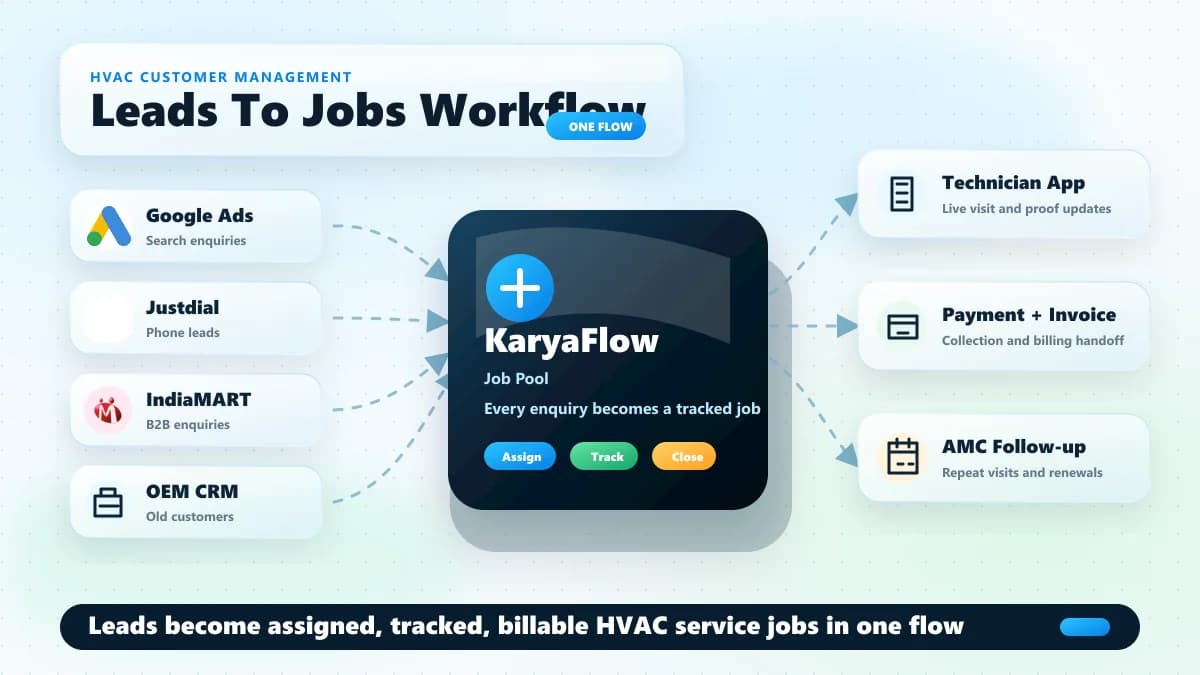
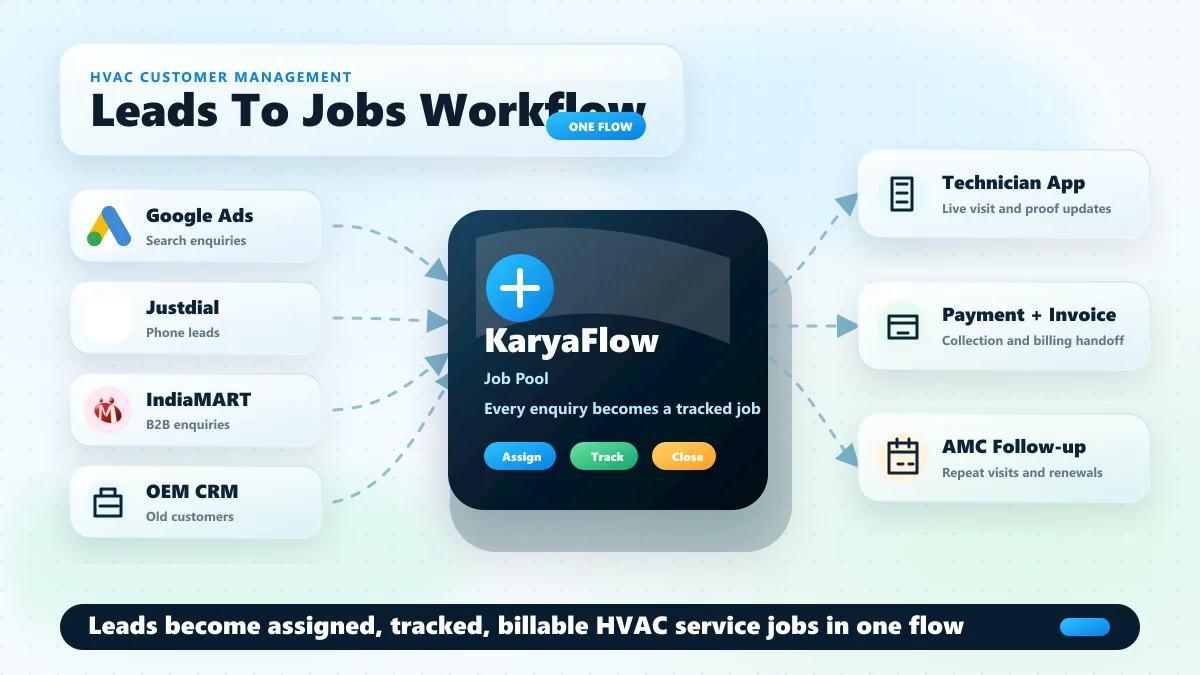
AC service centers usually get customers from multiple sources at the same time. Some customers come from Google Search or Maps. Google notes that customers can still find and contact businesses through Search and Maps, so local discovery remains important for service teams. Some leads come through ads, Justdial, IndiaMART, old customer references, local calls, WhatsApp, building managers, or AMC renewals.
The first problem is not only capturing the lead. The real problem is converting that lead into a tracked service job.
In many service centers, the workflow looks like this:
- A customer calls from Google, an ad, Justdial, IndiaMART, or an old contact.
- The owner or office person speaks to the customer and confirms the issue.
- The job is written in Excel, WhatsApp, a notebook, or a local CRM.
- A technician is assigned manually.
- The technician visits the customer.
- The owner follows up for status.
- Payment, parts, gas, invoice, and next visit are updated later.
This works when the owner has one or two technicians. It starts breaking when the business has multiple technicians, recurring AMC customers, pending payments, spare parts movement, and daily customer follow-ups.
HVAC customer management software should become the bridge between customer source and service execution. It should help the owner answer:
- Which source did this customer come from?
- Has this customer called before?
- Which AC unit or product is linked to this customer?
- Is the customer under warranty or AMC?
- Which technician visited last time?
- What was repaired or replaced?
- Was payment collected?
- Is an invoice pending?
- Is there a repeat complaint?
- When should the next follow-up happen?
If the software cannot answer these questions, it is not enough for an AC service center.
Authorized AC Service Centers Have A Different CRM Problem
Authorized AC service centers often receive jobs from the company or OEM CRM. That CRM may show jobs in the assigned service area, customer details, complaint type, and basic job information.
But the OEM CRM usually does not run the service center owner's full business.
After jobs appear in the company CRM, the owner still has to manage:
- job assignment to technicians
- technician attendance and location
- fuel and food expenses
- job status updates
- customer proof and signatures
- gas or spare parts used
- payment collection
- GST invoice or billing records
- month-end reports for accountant or CA
- technician incentives and salary adjustments
- inventory custody
That is why many authorized centers export jobs or copy job details into Excel or their own local systems. The company CRM gives the job. The owner still has to operate the business.
KaryaFlow solves this gap with bulk job import. Once jobs enter the KaryaFlow job pool, the service center can assign technicians, track job progress, capture job card details, record payment, update inventory, and prepare reports from the same workflow.
For a deeper view of that post-import execution layer, read the guide to HVAC dispatch software for daily technician assignment and the guide to HVAC project management software for installation or multi-visit site work.
This distinction is important. KaryaFlow is not trying to replace the OEM CRM when the OEM controls the official job source. KaryaFlow helps the service center owner manage everything that happens after the job comes in.
Already receiving jobs from a company or OEM CRM?
KaryaFlow can help your service center import those jobs, create a job pool, assign technicians, track field updates, and connect completed work to payments, inventory, and reports.
Independent AC Service Centers Need Lead-To-Job Tracking
Independent AC service centers have a different problem. They usually do not receive jobs from an OEM CRM. They generate customers through:
- Google Search and Maps
- paid ads
- Justdial
- IndiaMART
- old customers
- referrals
- WhatsApp enquiries
- local building or facility contacts
Justdial describes business enquiries across phone, SMS, and online channels, while its advertiser materials focus on lead tracking and lead management. IndiaMART seller resources also explain how sellers work with Buy Leads and seller-panel lead handling. For AC service centers, these platforms create opportunity, but they do not automatically solve technician assignment, job closure, payment, invoice, or repeat follow-up.
The owner or office person has to call, qualify, quote, and convert these enquiries manually. After that, the service job still has to be assigned, tracked, billed, and followed up.
In this setup, a normal contact CRM is not enough because the lead must become a job.
For example, if someone calls for "AC not cooling", the owner needs more than the customer's name and phone number. The owner needs:
- customer address
- AC type or product details
- complaint category
- preferred visit time
- assigned technician
- visit status
- service notes
- gas or parts used
- payment status
- follow-up date
- AMC opportunity
KaryaFlow keeps the customer and job connected. That makes customer management practical for service centers because every new lead can become a tracked job, and every completed job becomes part of the customer history.
HVAC CRM Software Should Be Connected To Field Jobs
HVAC CRM software should not stop at lead status and follow-up reminders. For an AC service business, the CRM must connect customer communication with field job execution.
The owner needs to know what happened after the customer was converted:
- Was the job assigned?
- Which technician visited?
- Did the technician reach on time?
- Was the customer satisfied?
- Was payment collected?
- Were parts or gas added to the bill?
- Is the customer eligible for AMC follow-up?
If the CRM cannot answer these questions, it becomes another contact list. AC service centers need customer management that connects lead, job, technician, payment, invoice, and follow-up in one workflow.
That is the difference between generic HVAC CRM software and a field-service system like KaryaFlow. For broader operations planning, compare this with the full AC service center management software guide.
AC Service Center CRM Needs Customer History, Not Just Leads
An AC service center CRM should preserve the full service relationship. A lead may become a repair job today, an AMC customer next month, and a repeat service customer next season.
The customer record should include:
- source of enquiry
- product or AC unit details
- complaint history
- technician visit history
- photos and service notes
- parts replaced
- gas or refrigerant usage where relevant
- warranty or AMC status
- payment and invoice history
- next follow-up date
This is why a service-center CRM must behave differently from a sales CRM. AC service owners are not only managing conversations; they are managing repeat service revenue and technician execution.
For teams still depending on chats and spreadsheets, read the companion guide on how to replace WhatsApp and Excel with a service CRM.
Why WhatsApp And Excel Break For Multi-Technician AC Service Centers
WhatsApp and Excel feel easy in the beginning. The owner can message a technician, write job details in a sheet, and check status by calling.
The problem appears when the team grows.
With multiple technicians, the owner has to track many moving parts:
- who is assigned to which job
- who has reached the site
- who is delaying work
- which job is completed
- which customer has paid
- which technician has cash
- which part was used
- which invoice is pending
- which AMC visit is due
- which customer needs follow-up
WhatsApp does not create a clean job history. Excel needs manual discipline. Paper job cards can be lost, damaged, or submitted late.
This creates a common AC service center problem: the owner technically has data, but it is not usable when decisions need to be made.
KaryaFlow changes the workflow by making each service job a structured record. The technician updates the job through the app. The owner sees status, location, payment, parts, notes, photos, and customer confirmation from the admin dashboard.
If every AC job still needs WhatsApp follow-up, the system is leaking time.
KaryaFlow gives owners a live job record instead of scattered chats, Excel rows, and delayed technician updates.
Customer History Is Where Repeat AC Service Revenue Comes From
For an AC service center, the best customer is often an existing customer.
An old customer may need:
- seasonal servicing
- gas charging
- installation
- water leakage repair
- AMC renewal
- warranty support
- filter cleaning
- PCB replacement
- another AC unit service
If the customer history is saved properly, the owner can sell better and serve faster. If the history is hidden in old WhatsApp chats or Excel rows, follow-up depends on memory.
Good HVAC customer management software should show:
- customer profile
- product or asset details
- previous job history
- technician notes
- photos and proof
- warranty or AMC status
- repeat complaint record
- parts replaced
- payment history
- next visit date
- renewal reminders
This is also useful for technicians. When a repeat customer calls, the technician can see what happened last time instead of starting from zero.
Technician Job Cards Should Update The Customer Record
The job card is the most important data point in an AC service center.
A proper HVAC job card should capture:
- technician check-in and check-out
- product photo before work starts
- complaint details
- gas or refrigerant quantity, if used
- spare parts selected from inventory
- service notes or remarks
- customer signature
- customer satisfaction or happy code
- payment collected
- payment mode
- next visit date
- warranty or AMC status
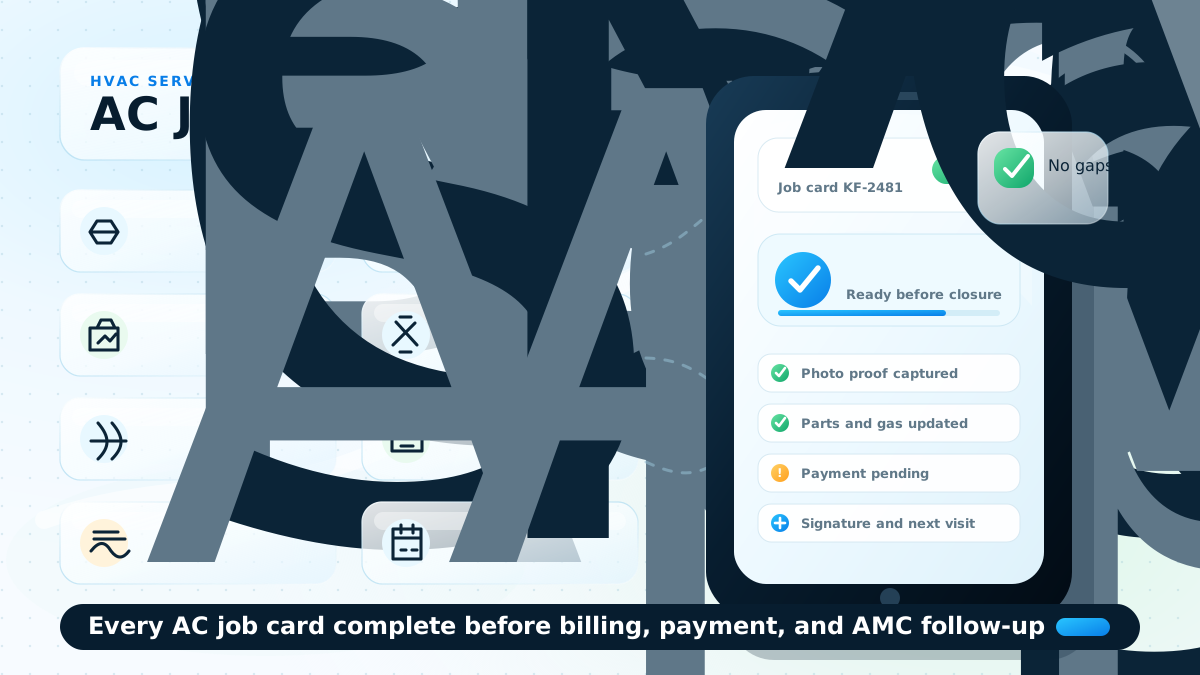
This should not be optional for important jobs. If the job card is incomplete, the owner does not get clean data for billing, inventory, customer history, or technician performance.
KaryaFlow lets service centers make key job card fields mandatory. That means the technician cannot close the job casually without the required proof, payment update, customer confirmation, or service details.
This protects the owner from a common leakage: "job done" on WhatsApp, but no proper record for what was done, what was used, and what should be billed. For a deeper job-card view, read the HVAC job card software guide.
Payment Collection Must Be Linked To The Customer And Technician
Payment leakage is one of the biggest problems in AC service centers.
A technician may collect cash. A customer may pay part cash and part online. A technician may already have an advance from the owner. The owner may need to adjust salary, fuel expense, food allowance, incentive, leave deduction, or overtime.
If these details are tracked manually, month-end settlement becomes painful.
HVAC customer management software should connect payment with:
- the customer
- the job
- the technician
- the payment mode
- the invoice
- the technician's cash balance
- salary and incentive records
KaryaFlow supports this operating style. If a technician collects payment, the owner can see the payment mode and amount. If the technician collects cash, it becomes part of the technician's cash-in-hand tracking. If payment is split between cash and online, that can also be recorded.
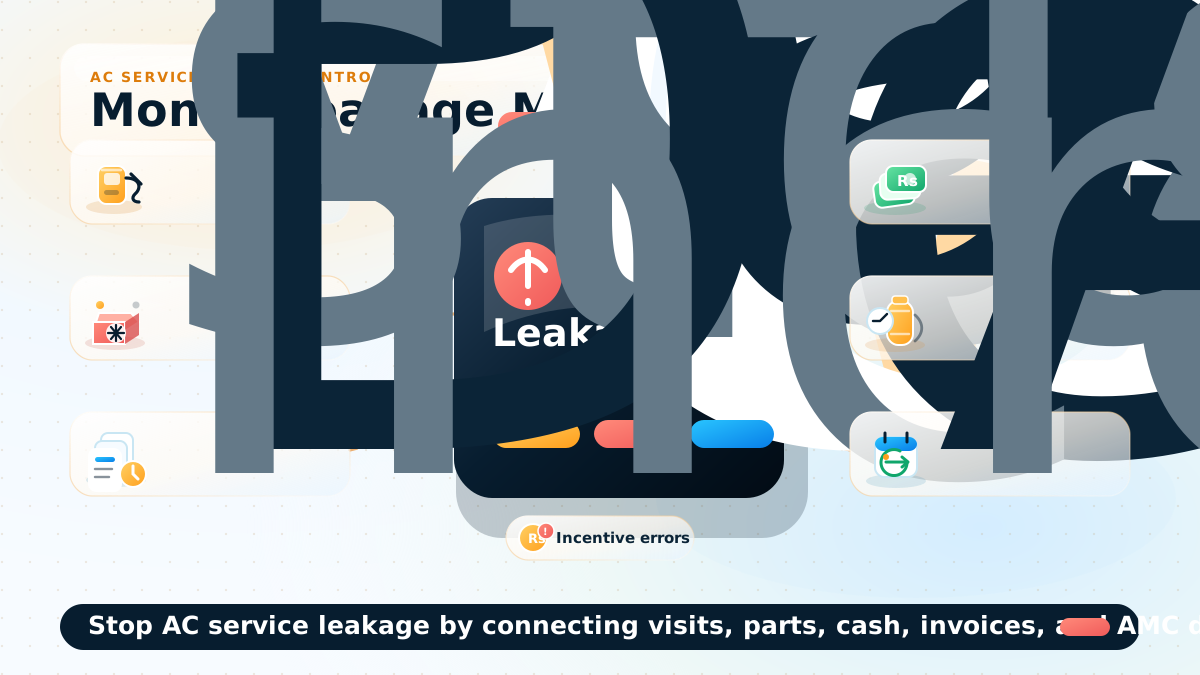
This gives the owner a daily view instead of discovering problems at month end. The payment workflow is closely related to collect payment at job site and GST invoicing software for service businesses.
Technician Expense And Incentive Tracking Should Not Be Separate From Jobs
Many Indian AC service center owners reimburse technicians for fuel, food, travel, or other daily expenses. In manual workflows, technicians often report kilometers or expenses verbally. The owner has to approve based on trust.
KaryaFlow can connect expense tracking to field activity.
For example:
- live location trail shows how far the technician travelled
- technician can submit food or travel expense from the app
- owner can approve or reject the expense
- approved expense can be considered in technician payment
Incentives are similar. Many service centers reward technicians for AMC sales, product sales, part sales, or strong performance. Manual Excel calculation becomes difficult when the team grows.
With KaryaFlow, the service center can connect incentives to actual job activity:
- AMC sold by technician
- parts or services sold
- completed jobs
- customer satisfaction
- payment collected
- repeat complaint performance
This matters because technician management is not only about tracking location. It is also about paying fairly, rewarding good work, and reducing leakage. For the wider operational model, see field service inventory and expense tracking.
Inventory And Spare Parts Must Be Connected To The Customer Job
Inventory leakage is another common AC service center problem.
The owner may not know:
- which part was issued to which technician
- which part was used on which customer job
- which part is still with the technician
- whether a used part was billed
- whether stock was updated after the job
For HVAC and AC service work, this can include spare parts, accessories, gas or refrigerant, filters, valves, capacitors, PCBs, or installation material.
KaryaFlow connects inventory with the job card. The technician selects parts used in the job. The owner can see part movement and technician custody. If barcode or product scanning is enabled in the workflow, the service center gets even clearer tracking.
This is important for customer management because parts history becomes part of the customer's service history. If the same customer complains again, the owner can check what was replaced earlier.
AMC Renewal And Follow-Up Should Come From Customer History
AMC revenue is easy to lose when reminders are manual.
If a customer bought AMC, the renewal date should not live only in a notebook, Excel row, or WhatsApp chat. It should be connected to the customer record.
KaryaFlow can help AC service centers track AMC details and remind owners before renewal. The reminder frequency can be set around the service center's process, such as 30 days, 15 days, or 7 days before renewal.
If WhatsApp integration is enabled, the customer can also receive follow-up or renewal communication.
This makes customer management more valuable than a static CRM. The system does not only store customers; it helps the owner bring customers back. For recurring-service depth, continue to AMC management software India.
What The Owner Should See Every Day
An HVAC customer management dashboard should help the owner run the day, not just review old data.
The daily view should include:
- open complaints
- assigned jobs
- technician live location
- job status
- completed jobs
- pending payments
- cash in hand by technician
- technician expenses
- salary and incentive status
- parts used
- parts with technician
- repeat complaints
- AMC visits due
- invoice status
- customer follow-ups
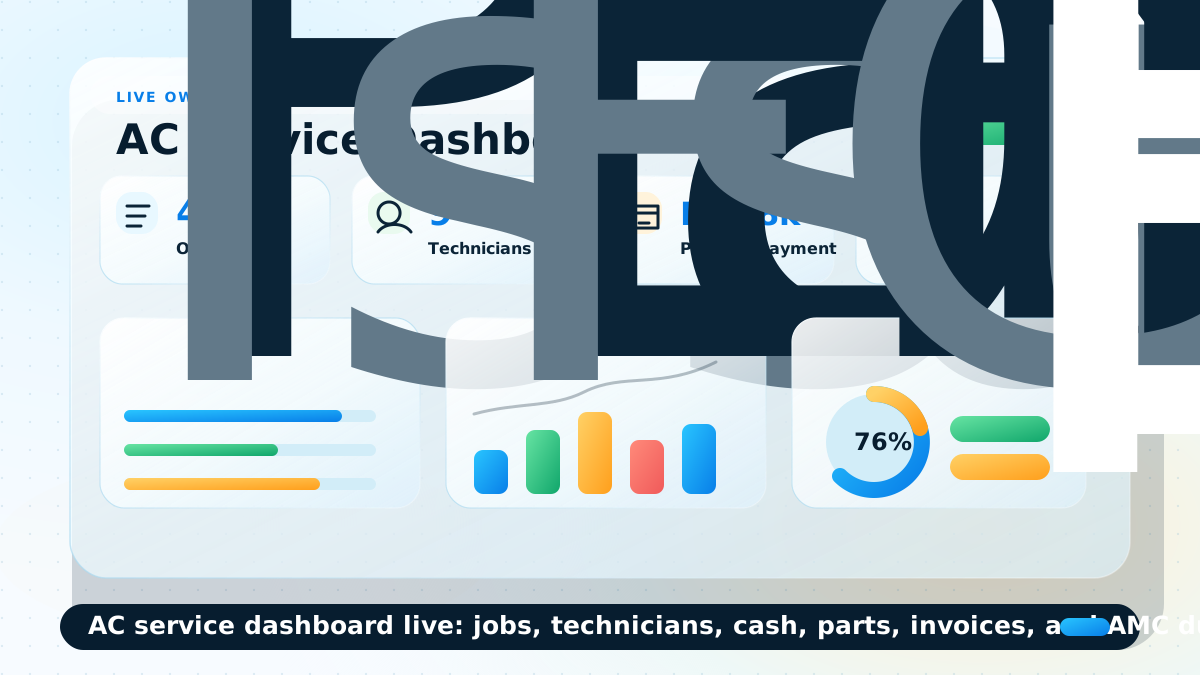
This is the difference between software that stores data and software that controls operations. If technician visibility is the immediate pain, compare the workflow with a dedicated technician tracking app India guide.
How KaryaFlow Helps AC Service Centers Replace Multiple Tools
Many AC service centers use separate tools for separate problems:
- WhatsApp for assignment
- Excel for job tracking
- paper job cards for service proof
- Tally or accountant sheets for billing
- phone calls for follow-up
- separate inventory and salary records
The problem is not that these tools are bad. The problem is that they do not share one workflow.
KaryaFlow Connects The AC Service Workflow
KaryaFlow brings the AC service center workflow into one connected system:
- customer and lead management
- bulk job import for authorized centers
- job pool and assignment
- technician mobile app
- location and job status tracking
- job card with photos, notes, parts, payment, and signature
- inventory, parts, cash, and UPI tracking
- AMC reminders
- GST and reporting exports
- technician expense and incentive tracking
Video Walkthrough: AC Jobs, Customers, Technicians, Payments And AMC In One App
Watch this short walkthrough to see how an AC service center can use KaryaFlow to manage customer enquiries, imported jobs, technician assignment, mobile job cards, payments, parts, AMC reminders, and owner reports without depending on WhatsApp and Excel for every step.
Google Search Central recommends making embedded videos easy for Google to discover and understand, including visible placement and useful metadata. The video above supports the article because it shows the workflow that the text explains.
Why One Connected AC Service Workflow Matters
For the owner, the main benefit is transparency. They can see technician activity, job progress, customer history, payment status, and operational leakage without waiting for month-end Excel work.
Want to see the complete AC service workflow in one dashboard?
Buyer Checklist For HVAC Customer Management Software
Before choosing HVAC customer management software, an AC service center owner should ask:
- Can it manage both new leads and existing customers?
- Can it import jobs from another CRM or Excel file?
- Can it create a job pool for assignment?
- Can technicians use a mobile app at the customer site?
- Can job cards capture photos, notes, parts, payment, signature, and next visit?
- Can required job card fields be made mandatory?
- Can it show technician live location and job status?
- Can it track cash, online, and split payments?
- Can it track technician expenses and owner approval?
- Can it manage AMC reminders?
- Can it show customer history and repeat complaints?
- Can it connect inventory or spare parts to customer jobs?
- Can it export reports for billing, GST, or accountant review?
- Can it reduce dependence on WhatsApp, Excel, and paper job cards?
If the software only stores customer contact details, it is not enough for a growing AC service center.
Use this checklist during your software demo.
Ask KaryaFlow to show your exact AC service flow: lead or job import, technician assignment, mobile job card, payment collection, parts usage, AMC reminder, owner reporting, and the focused HVAC dispatch workflow.
When Should An AC Service Center Move From Excel To KaryaFlow?
An AC service center should consider moving from Excel and WhatsApp when any of these problems appear:
- the owner has more than 3-5 technicians
- job assignment is happening across multiple WhatsApp groups
- customers call repeatedly for status
- technicians delay job updates
- payment collection is hard to reconcile
- salary and incentive calculation takes days
- parts usage is not linked to jobs
- AMC renewals are missed
- invoices are delayed after service completion
- the owner cannot see daily profit, leakage, or technician performance
At that point, the problem is no longer "we need a better sheet." The problem is that the service center needs an operating system for customer, technician, job, payment, and inventory workflows.
KaryaFlow is designed for that stage. For a broader software-buying view, read field service management software in India.
Ready to move AC service operations out of WhatsApp and Excel?
KaryaFlow is built for AC and HVAC service centers that need customer history, technician tracking, job cards, payments, inventory, AMC reminders, and reports in one place.
FAQs
What is HVAC customer management software?
HVAC customer management software helps AC and HVAC service businesses track customer details, complaints, service history, warranty or AMC status, technician visits, payments, invoices, and follow-ups in one system.
How is HVAC customer management different from normal CRM?
A normal CRM usually tracks leads, contacts, and follow-ups. HVAC customer management must also connect those customers to field jobs, technician visits, parts used, payment collection, invoice status, AMC reminders, and repeat complaints.
Can authorized AC service centers use KaryaFlow with company CRM jobs?
Yes. Authorized centers can use KaryaFlow after jobs are exported or imported from the company CRM. Once jobs enter the KaryaFlow pool, the service center can manage assignment, technician tracking, job cards, payment, inventory, and reporting.
Can independent AC service centers track leads from Google, Justdial, or IndiaMART?
Yes. Independent centers can use KaryaFlow to convert enquiries from Google, ads, Justdial, IndiaMART, old customers, or referrals into service jobs, then track the full workflow from assignment to payment and follow-up.
Can KaryaFlow track AMC renewals?
Yes. KaryaFlow can store AMC details and help owners track upcoming renewals or visits. Reminder frequency can be configured around the service center's follow-up process.
Can technician job cards update customer history?
Yes. Technician job cards can capture photos, parts, notes, payment, signature, next visit date, and service details. These records become part of the customer history.
Can KaryaFlow track technician cash collection?
Yes. If a technician collects cash or records payment at the job site, the owner can track payment mode, cash in hand, and pending reconciliation.
Is KaryaFlow only for HVAC companies?
No. KaryaFlow can support multiple field service businesses, but HVAC and AC service centers benefit strongly because their workflow includes technicians, site visits, parts, gas, AMC, payments, and repeat customer service.
Prefer a focused video page? Watch the video walkthrough for this guide.
Ready to modernize your service operations?
Join 50+ service centers already using KaryaFlow. Setup in under 30 minutes, GST-ready from day one.
See how KaryaFlow works for HVAC service centersYou might also like
Spare Parts Inventory Tracking for AC Service Centers in India
Learn how AC service centers in India can track spare parts from godown issue to technician stock, mobile job card usage, returns, billing handoff, and owner review.
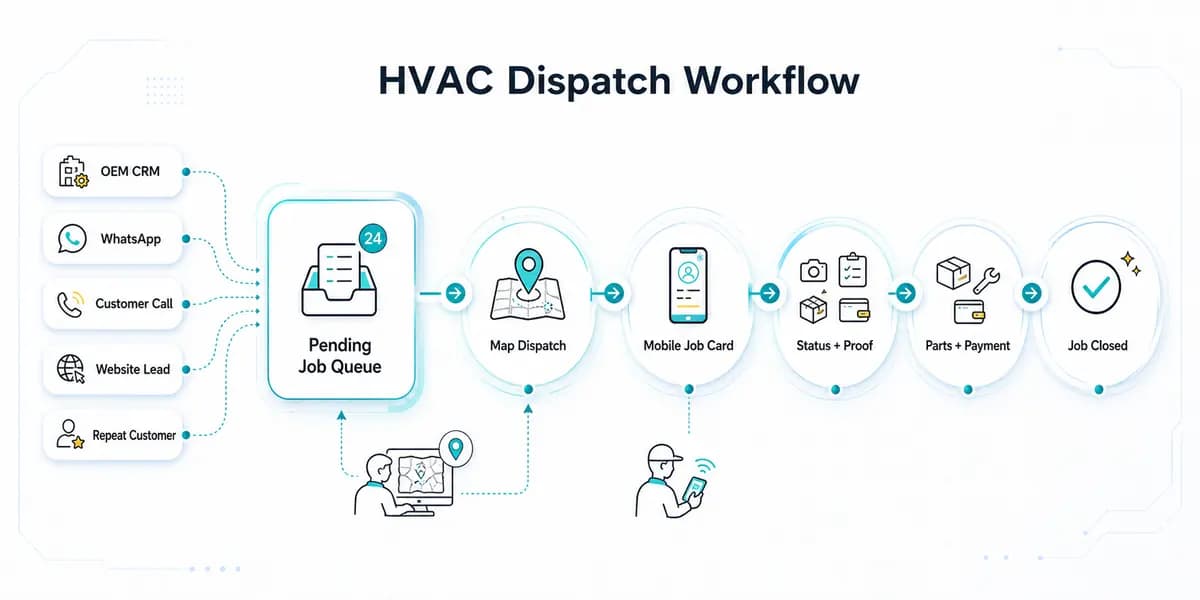
HVAC Dispatch Software India: Schedule AC Technicians
HVAC dispatch software for Indian AC service centers: manage OEM CRM jobs, WhatsApp enquiries, technician assignment, job status, parts, payments and closure.
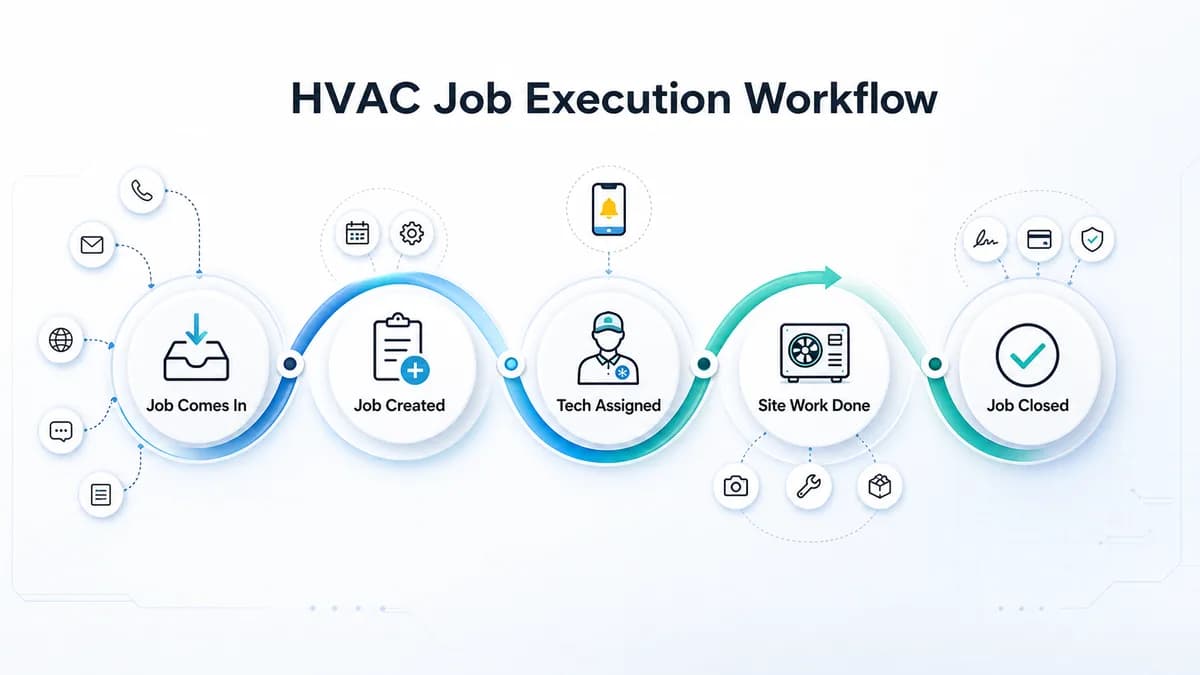
HVAC Project Management Software for Installation and AMC Teams in India
HVAC project management software for Indian HVAC teams: assign technicians, track job proof, material issue, expenses, cash/UPI payments, and reports.