KaryaFlow
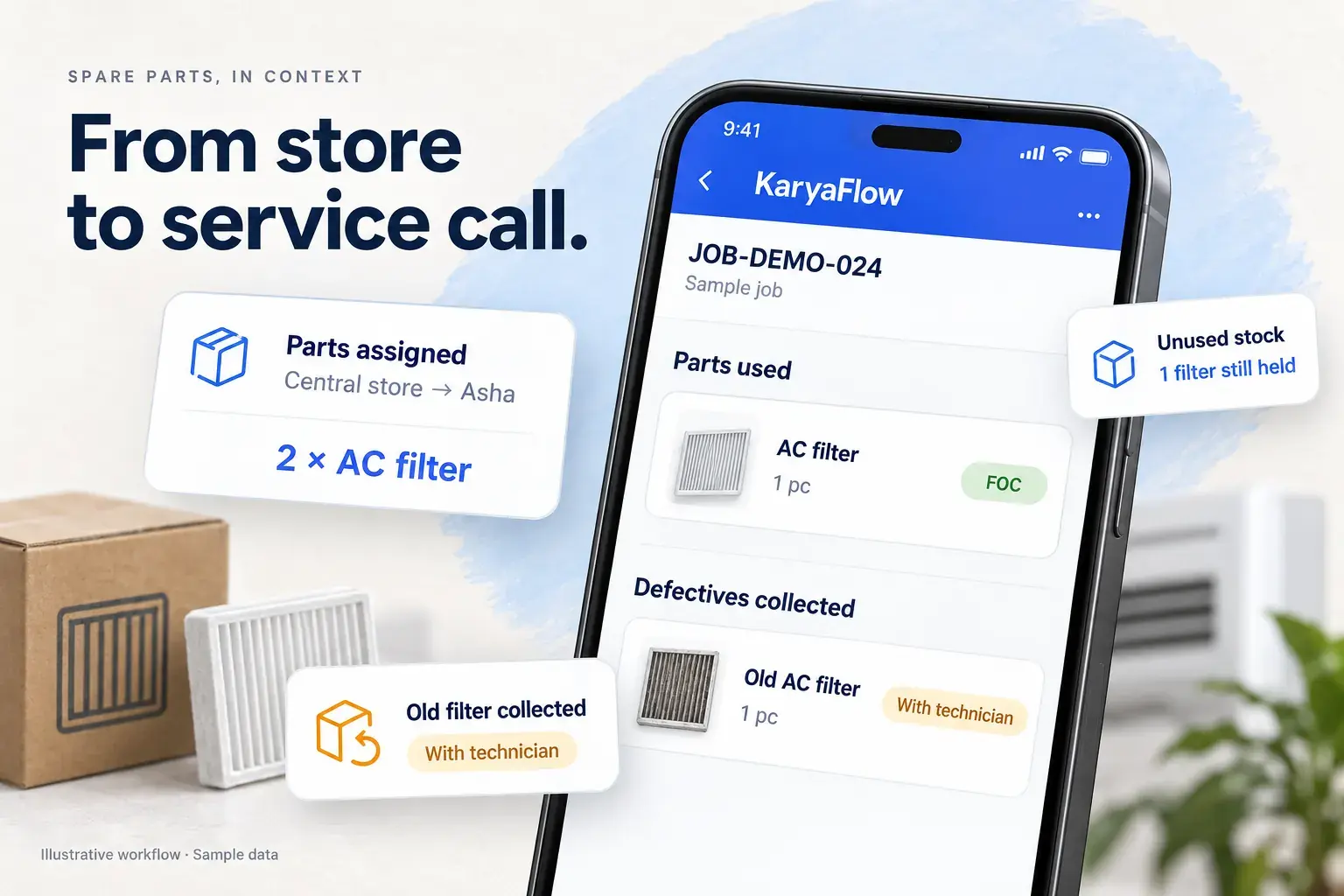
Technician parts custody software helps you follow a spare part from the store to a technician, then to a customer job or a confirmed return. That matters when your team carries stock between visits and the office needs to know where it went.
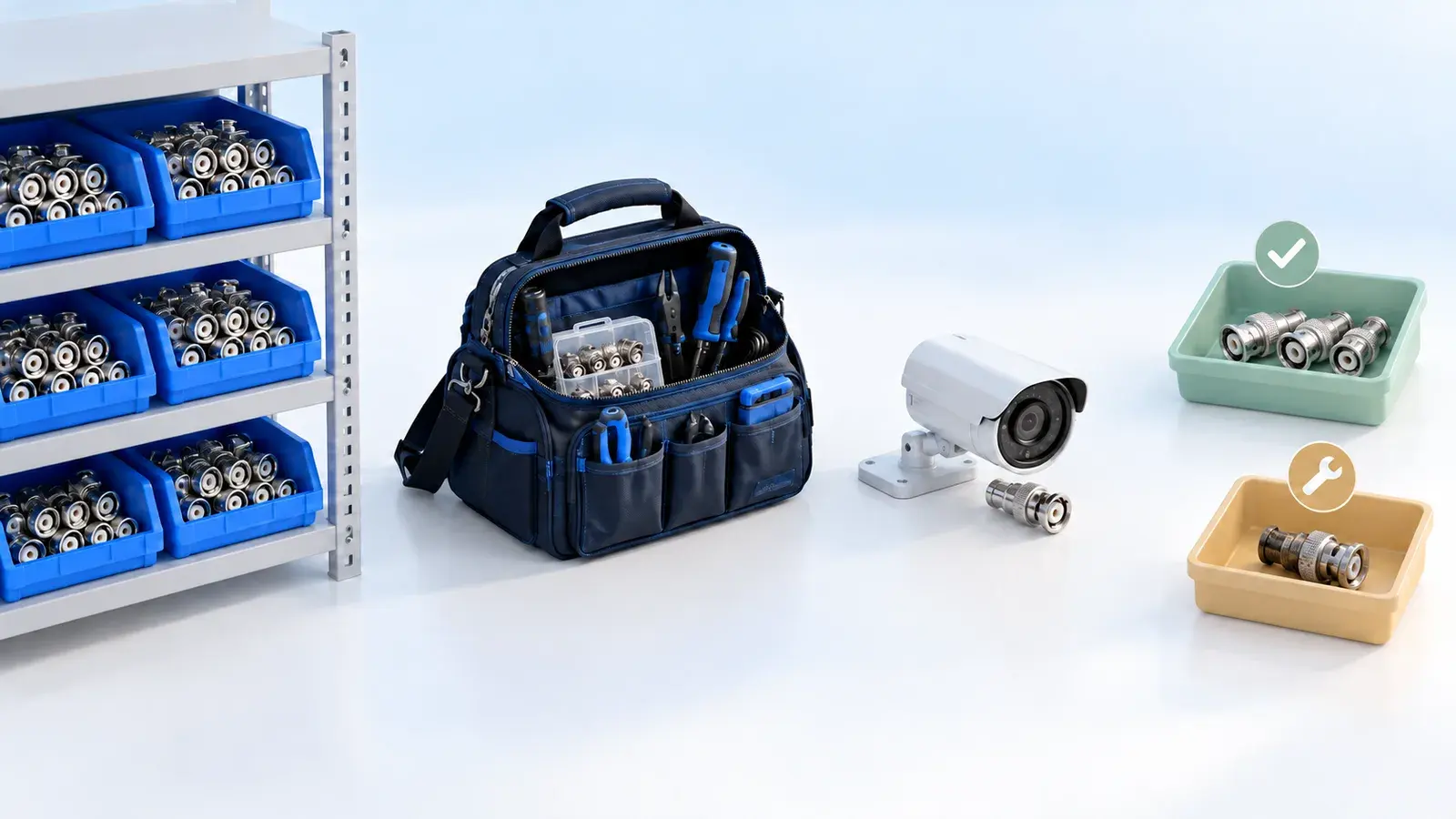
Picture a technician leaving with five replacement parts. Two go into a repair, one comes back unused and two stay in the van for tomorrow. A faulty part also comes back from the customer. Each movement needs its own record, or the office has to reconstruct the day from calls and messages.
How KaryaFlow helps: KaryaFlow connects parts issued to technicians with job usage, unused returns and defective material collected at customer sites. The office confirms what it receives, so a technician's return request stays distinct from a completed handover.
Ravi receives 5 BNC connectors for a CCTV visit. Follow where each one ends up.
| Item | Issued | Used | Returned | Still held |
|---|---|---|---|---|
| BNC connectors | 5 | 2 | 1 | 2 |
How to track parts usage by technician
Start with the handover: record which part you issue, how many units leave the store and which technician receives them. Record usage against the customer job, keep the remaining quantity in the technician's balance, and confirm any unused return when stores receive it.
At the end of the day, you should be able to answer five questions:
- What did we issue to each technician?
- Which customer job used each part?
- What is still in the technician's bag or van?
- Which defective parts came back from customers?
- Which returns still need office confirmation?
In the five-part example, the records should account for two used, one returned and two still held. The faulty part belongs in a separate recovery record. You can then review the movements while the visit is still fresh.
If you also need to manage purchasing and warehouse quantities, start with the wider spare parts inventory management guide.
What is the difference between technician parts custody and inventory tracking?
Warehouse inventory tells you what is available in the store. Technician parts custody follows the stock after the store hands it over: who carries it, where they use it and what comes back.
Both records matter. A warehouse balance can be correct while the office still cannot explain what happened to a part issued last week.
The gaps often appear in everyday situations:
- A technician uses a part, but the job or invoice has no record of it.
- A spare stays in the van, while the office assumes it came back.
- Stores receive an old customer part and mistakenly count it as usable stock.
- A warranty replacement appears alongside chargeable parts without a clear distinction.
- The technician reports a return, but the storekeeper has not confirmed receipt.
Recording each handover gives the technician and the office a shared account of what happened. Month-end stock counting can then check those records rather than becoming the first time anyone asks where the parts went.
What should technician parts custody software record?
Technician parts custody software should record the person, quantity, job and confirmation behind each movement. A single stock total cannot explain whether a part is awaiting use, on a customer job or on its way back to the office.
Follow two distinct paths:
- Usable stock: the warehouse issues a part to a technician, who uses it on a job, keeps it for a later visit or returns it unused for office confirmation.
- Defective recovery: the technician collects a faulty part at the customer site and deposits it at the office under a non-sellable record.
For each assignment, look for:
- Issue details: inventory item, quantity and unit of measure at the time of issue, receiving technician, issue date and the office user who issued it.
- Usage details: the customer job, quantity used, current custody status and quantity still held by the technician.
- Return details: unused quantity, whether the deposit is pending, confirmed or rejected, the confirming office user and any rejection reason or notes.
- Recovery details: the defective item and its source job or completion sheet.
These details let the office investigate a mismatch without treating every unresolved return as missing stock. For the next steps after recovery, see defective parts collection and purchase request tracking.
How KaryaFlow handles technician parts custody
KaryaFlow follows the part through assignment, job usage and return. The technician records the field activity, and the office reviews the handover back to stores.
Follow Ravi's CCTV visit through five handovers, starting with twelve connectors in the store and five assigned to him.
The office hands 5 BNC connectors to Ravi. Record the item, quantity, date and issuing user.
| Item | Available | Issue quantity | Balance after issue |
|---|---|---|---|
| BNC connectors | 12 | 5 | 7 |
Ravi records 2 connectors used on job CCTV-1042. The remaining stock stays in his custody.
| Part used | Quantity | Technician | Balance held |
|---|---|---|---|
| BNC connectors | 2 | Ravi | 3 |
Of the three unused connectors, Ravi keeps two for later visits and submits one for return.
| Inventory item | Kept for later visits | Return pending |
|---|---|---|
| BNC connectors | 2 | 1 |
The office receives the one unused connector, checks it and confirms the return. Warehouse availability moves from seven to eight.
| Returned item | Submitted | Received | Status |
|---|---|---|---|
| BNC connectors | 1 | 1 | Confirmed |
Ravi also collects an old, faulty connector from the customer. Keep its source job and the person holding it visible.
| Recovered item | Quantity | Office handover | Usable stock added |
|---|---|---|---|
| Faulty BNC connector | 1 | Record receipt | 0 |
The office can review both the job record and the technician's remaining stock. That is useful when technicians carry spare parts across several visits or return to the store only at the end of a route.
For the wider working day, the field service inventory and expense tracking guide explains how parts usage and job-related expenses fit together.
How do you track CCTV cameras and NVRs through installation and faulty returns?
For serialized CCTV equipment, record the device's identity at each handover. The serial number connects the camera or NVR in stock with the unit installed at a customer site and any later warranty or faulty-return enquiry.
Suppose a technician installs one camera and brings back a faulty unit. The following illustrative record shows what to track; the names, job reference and serial numbers are examples.
These sample serial numbers show a camera installation, a faulty collection and a vendor replacement linked to the same service history.
| Event | Serial / reference | Record details |
|---|---|---|
| Receive into stock | CAM-24018 | Camera model C4 · supplier invoice, cost, GST and warranty date |
| Issue to Ravi | CAM-24018 | Record the issue date and issuing manager |
| Install on the job | CCTV-1042 | CAM-24018 · rear entrance · update technician stock and site history |
| Collect faulty unit | CAM-19881 | Old camera · Ravi's defective custody · same job reference |
| Receive at office | CAM-19881 | Confirm physical receipt; record a reason for any mismatch |
| Send to vendor | Return record | Defective serial, vendor reference, dispatch date and replacement status |
| Receive replacement | CAM-25107 | New serial in stock, linked to the vendor replacement record |
Use the same approach for DVRs, NVRs, hard disks, PoE switches and power supplies where you need to identify the individual unit. Cable and connectors can usually follow a quantity-based record.
The records answer four different questions: what is in office stock, what the technician carries, what is installed at the customer site and who holds the faulty return. Keeping those details connected helps the team trace a warranty query back to the correct device and visit.
After the visit, include used parts in the completion record and billing handoff. Confirm unused returns separately. Keep defective material outside sellable stock while the manager decides whether to send it to the vendor, repair it or approve another outcome such as scrap.
For the complaint and job card that sit around these movements, follow the CCTV complaint management workflow.
Should you use technician stock tracking or a stock issue register?
Use technician stock tracking when you need to know what each technician holds between jobs. A stock issue register helps when the office records parts consumed against service calls. KaryaFlow separates these two workflows.
Scroll sideways to see every column if needed. With a keyboard, focus the table and use the left and right arrow keys.
| Question | Assigned parts custody | Stock issue register |
|---|---|---|
| What does it track? | Parts physically held by technicians | Parts consumed against service calls |
| When does it start? | When office hands stock to technician | When a clerk records part usage |
| Who owns the workflow? | Store, technician, and office | Clerk, admin, and inventory reviewer |
| What happens on job usage? | Technician-held balance is reduced | Approved entry updates stock ledger |
| What about unused parts? | Deposit and office confirmation | Usually not the primary purpose |
| What about defective parts? | Can log recovered defective material | Can record condition and return type |
Choose around how your team works. A technician carrying stock for several visits needs an ongoing balance. A clerk recording usage after each call needs a reliable job or call reference. The stock issue register guide explains that second workflow in more detail.
When a technician captures customer acknowledgement, connect the parts record to the service completion sheet. The office can then review parts, defective recovery, signatures and the invoice handoff against the same visit.
How does KaryaFlow’s technician parts tracking help protect service margins?
KaryaFlow’s technician parts tracking helps the office check parts usage against jobs, billing records and confirmed returns. That gives the team a way to investigate unrecorded usage, missed invoice items and stock differences before closing the paperwork.
For example, a technician completes a paid repair using a replacement part. If the job records the part but the invoice omits it, the office has something specific to check. For a warranty repair, the same record helps the team explain why the part was used without charging the customer, according to the warranty terms.
The job shows two connectors used, but the invoice draft lists one. The difference needs a review before billing.
| Item | Qty |
|---|---|
| BNC connector | 2 |
| Item | Qty |
|---|---|
| BNC connector | 1 |
A return needs the same care. A spare still in a technician's van is stock held for later work. A faulty customer part is a recovery item. A usable part received by stores needs confirmation. Treating these situations separately helps you avoid incorrect balances and unnecessary replacement purchases.
The benefit comes from reviewing the connected records and acting on discrepancies. The stock record gives your team a place to start that check.
Which service teams need technician parts tracking?
Technician parts tracking is useful when field staff carry material between visits, use parts on customer jobs or collect items that must come back to the office. The important question is how often stock changes hands away from your store.
- Daily routes and emergency visits: track bag stock, van stock and spare parts held by technicians or freelance field staff.
- Warranty and paid repairs: connect parts usage to the job so the office can check the correct billing treatment.
- AMC visits: record consumables used during scheduled maintenance and the balance left for later visits.
- Returns and replacements: follow unused spares and defective customer material back to the office.
An HVAC technician may carry capacitors, PCBs, sensors, valves, motor parts, copper fittings and refrigerant accessories. Water-purifier teams may carry filters, membranes, pumps and adaptors. Appliance teams often need to distinguish paid spares, warranty replacements and defective returns. The HVAC inventory guide develops the stock workflow for that trade.
Pest control businesses also issue materials such as chemicals, gel baits, traps and PPE to field staff. CCTV, electrical, plumbing, fire-safety, elevator and facility-maintenance teams face similar handovers when they carry parts or consumables to customer sites.
What should you check in a technician parts tracking software demo?
Follow one part through the full workflow. Ask the vendor to show the records after each step, including a partial usage and an unresolved return.
Use this checklist with KaryaFlow or any other software you shortlist:
- Add an inventory item with a quantity and unit of measure.
- Assign five units to a technician.
- Check that warehouse availability reflects the issue.
- Open the technician's customer job card.
- Record two units used on that job.
- Check that the technician still holds three units.
- Submit one unused unit for return, leaving two for later visits.
- Show how the office confirms or rejects the return, including a rejection reason.
- Record a defective part collected from the customer against the visit.
- Check that the defective item stays outside sellable stock.
Pay attention to the pending return. The office should be able to distinguish a technician's submission from physical receipt. This is a suggested demo exercise, not a report of a test we have run across vendors.
How do you choose technician parts custody software?
Choose technician parts custody software around the handovers your team needs to manage. Check issued stock, job usage, remaining technician balances, unused returns and defective recovery with a technician and a storekeeper involved in the demo.
KaryaFlow fits service teams that need to connect these records with customer jobs and office confirmation. Use the exercise above to see how that process matches your working day.
A warehouse inventory tool may be enough if you only record stock entering and leaving the store. A job-card app may suit a team that records usage on each visit without holding technician stock between calls. If purchasing, manufacturing and finance drive the decision, include an ERP in your evaluation.
The right choice should let your team explain where a part went, which job used it and who confirmed its return.
FAQ
Which software tracks parts handed to technicians and used on jobs?
KaryaFlow tracks parts assigned to technicians, usage against customer jobs, unused returns and defective material collected from customers. Office confirmation records the handover back to stores.
What is technician parts custody?
Technician parts custody is the record of stock a technician physically holds after receiving it from the store. It follows that stock until the technician uses it on a job or returns it through the office handover process.
Why is technician custody better than only inventory tracking?
Technician custody adds detail about stock outside the store: who holds it, which job used it and what still needs return confirmation. It complements warehouse inventory tracking when your field team carries spare parts between visits.
Can defective parts be tracked separately from sellable stock?
Yes. KaryaFlow lets the team record defective material recovered from customer jobs separately from usable stock. The office can follow its custody and return without treating the recovered item as available for sale.
Which service businesses need assigned parts tracking?
HVAC, water-purifier, appliance, CCTV, electrical, plumbing, fire-safety, elevator and facility-maintenance teams can use assigned parts tracking when field staff carry spares. It is especially useful when those parts stay with a technician across several customer visits.
Sources checked
- KaryaFlow backend part-assignment module inspected from
origin/mainon 2026-07-09. - KaryaFlow backend tenant assigned-parts configuration inspected from
origin/mainon 2026-07-09. - Existing KaryaFlow content on inventory, HVAC parts, water purifier filters, job cards, and GST billing handoff.
See how KaryaFlow works for service teams tracking inventory