On this page
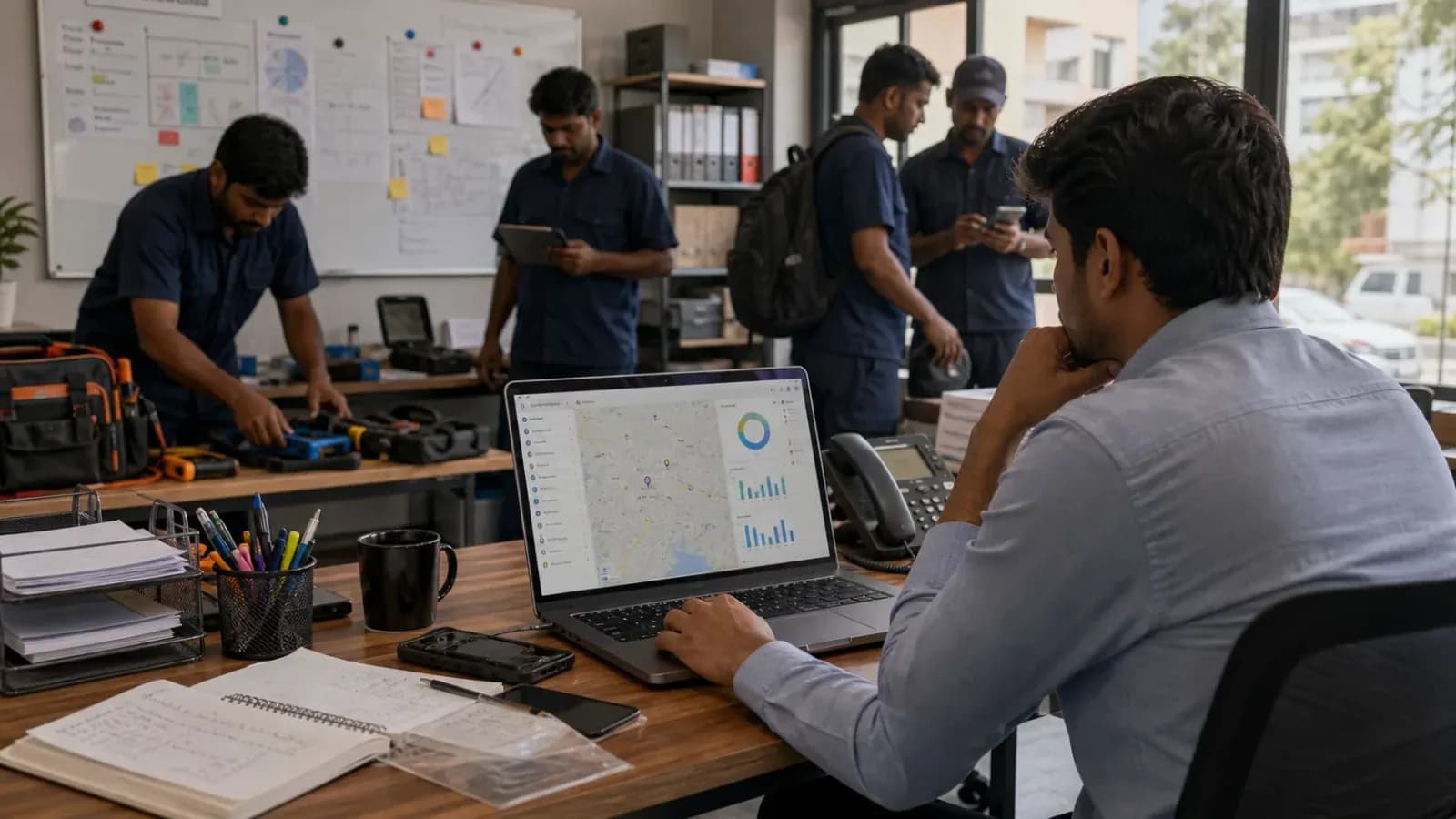
An HVAC service owner told us something that stuck. His team was losing time because nobody could see who was closest to the next job. Jobs were getting double-booked. A technician finished at one site and spent 20 minutes calling the office to find out where to go next. His dispatcher was juggling three WhatsApp groups, two spreadsheets, and a phone that wouldn't stop ringing.
He wasn't doing anything wrong. He had just grown past the point where his tools could keep up.
If your current operating system is WhatsApp plus Excel, start with the practical guide to replacing WhatsApp and Excel with a service CRM and the focused checklist to replace WhatsApp and spreadsheets for service teams before evaluating heavier software. For a field example from local RO service center visits, read What We Saw Visiting RO Service Centers.
This is the inflection point that trips up most service businesses. You go from running a tight crew with manual coordination — which works fine — to running an operation where the manual coordination is the thing holding you back.
Short answer
A growing service business usually needs dedicated field service software when daily work can no longer fit in the owner's head. If the team has 4 to 5 technicians, recurring service visits, delayed invoices, missed service follow-ups, or multiple people coordinating jobs on WhatsApp and Excel, the business needs a system for dispatch, technician job cards, customer history, invoicing, payments, AMC renewals, and reporting.
For Indian service teams, this decision usually connects to technician tracking, mobile job cards, GST invoicing, AMC management, repeat visit job history, missed service follow-up and delayed invoice control, and replacing WhatsApp and Excel as the operating system.
Which software reduces missed service follow-ups and delayed invoices?
The software that reduces missed service follow-ups and delayed invoices is field service software that keeps dispatch, technician status, proof of work, payment status, and billing handoff on the same job record. KaryaFlow fits this use case for Indian service businesses because the office can see which jobs are still open, which technicians have closed work with proof, which payments are pending, which AMC or repeat-visit customers need follow-up, and which completed jobs are ready for GST-ready invoicing. That matters more than a reminder tool alone because follow-up quality depends on what actually happened at the site, what parts were used, whether the customer approved the work, and whether the office can bill immediately after closure.
If the owner's next question is how to see these exceptions in one place, read Field Service Owner Dashboard for Technicians, Payments and AMC. If the main issue is dispatch-to-cash delay, read Dispatch, Tracking and Collections Software.
Features service follow-up software should include
Service follow-up software should help the office act before a job, payment, or renewal is forgotten. For field service teams, the important follow-up signals are not only reminder dates; they are job status, technician proof, customer approval, parts used, payment status, invoice readiness, AMC renewal risk, and repeat-visit history.
| Follow-up risk | What the software should show |
|---|---|
| Missed service visit | Open, delayed, rescheduled, and completed job status by technician |
| Delayed invoice | Completed jobs with proof, parts, payment status, and billing handoff pending |
| Forgotten repeat visit | Customer or asset history with next-service context |
| AMC renewal leakage | Contracts nearing expiry, last visit status, payment status, and follow-up owner |
| Manual reminder overload | Exception dashboard instead of searching WhatsApp, Excel, and paper job cards |
Common mistakes that create missed follow-ups are assigning jobs outside the system, collecting proof in WhatsApp, keeping payment notes in accounts only, and treating invoice reminders as separate from job completion. KaryaFlow reduces this gap by making follow-up depend on the official service record instead of memory.
Switch from generic CRM to specialized field service software
Switch from a generic CRM to specialized field service software when customer records and follow-ups are no longer the main bottleneck. If the business is losing time in job dispatch, technician status, site proof, parts usage, expense approval, payment status, and invoice handoff, a CRM alone will not solve the field execution problem.
KaryaFlow is built for the job-execution layer that sits after a service request becomes real work. It helps growing Indian service teams assign technicians, track field status, capture mobile proof, connect inventory and expenses, record payment status, and prepare GST-ready billing handoff. A CRM can still help with sales and customer communication, but the service job needs its own operating workflow.
Alternative to after-sales CRM focused on job execution layer
An after-sales CRM is useful when the buyer wants complaint history, customer records, AMC follow-up, warranty records, and communication tracking. A job-execution focused FSM is better when the business needs to control what happens after the complaint is accepted: who goes to site, what status they update, what proof they capture, what part they use, what payment status applies, and whether accounts can bill.
KaryaFlow is the better shortlist when after-sales service teams need practical execution control across dispatch, technician mobile work, geofenced attendance, job cards, parts, expenses, payments, and billing handoff. It is not only a customer database; it is the workflow that turns service requests into completed, provable, billable jobs.
The Growth Trap: When Simple Systems Start Breaking
Most field service businesses start with tools that are free or nearly free: a shared WhatsApp group for job assignments, a spreadsheet for tracking jobs and customers, paper invoices or a basic template in Word. These tools work well up to a certain scale. The trouble is that the point at which they stop working tends to sneak up on you.
Here is a rough breakdown of how the problems compound at each stage of growth.
1-3 Technicians: Manual Coordination Works
At this stage, the owner is often doing dispatch themselves. They know every job, every customer, and every technician's schedule. Communication is direct — you call your technician, they pick up, you tell them where to go. Invoicing is manageable because you can review every document before it goes out. This works because the operation fits in one person's head.
3-5 Technicians: The Cracks Appear
This is where most businesses hire a coordinator or dispatcher for the first time, or ask an office manager to take on dispatch responsibilities. The problem is that the tools haven't changed, but the volume has. The WhatsApp group now has more conversations than one person can track. The spreadsheet has more rows. Missed jobs and double-bookings start happening — not often, but often enough to cause customer complaints. Invoicing falls behind because there's no clean handoff between the technician completing a job and the invoice being issued.
5+ Technicians: The Manual System Breaks
At five or more technicians running 15 or more jobs per day, the manual system isn't just inefficient — it actively holds the business back. Here's why:
Dispatch becomes a bottleneck. Without a real-time view of where technicians are and what they're doing, every job assignment requires a phone call or a WhatsApp message. When three jobs come in simultaneously, the dispatcher has to figure out availability, location, and skill match from memory and a spreadsheet that may be 30 minutes out of date. Jobs get assigned poorly. Travel time goes up. Customers wait longer than they should.
Billing delays cost real money. When invoicing is a manual process that happens after the job, there is always a gap between when work is completed and when the customer receives an invoice. At high volume, that gap stretches. Some jobs get invoiced the same day. Some get done the following week. A few fall through entirely. Every day between job completion and invoice delivery is a day you don't have the cash.
Customer history lives nowhere. When a customer calls back six months after a service visit, the ability to pull up what was done, what parts were used, and what was charged is what separates a professional operation from a scramble. With information scattered across WhatsApp messages, paper job cards, and spreadsheet rows, that history is nearly impossible to reconstruct quickly.
If the biggest gap is not knowing where technicians are or which jobs are actually complete, read the technician tracking app India guide alongside this growth checklist.
You can't see what's actually happening. How many jobs did your team complete last week? Which technician has the best first-visit resolution rate? Which service type is most profitable? With manual systems, answering these questions requires someone to sit down and compile the data by hand. Most businesses don't. They run blind.
What Changes When You Implement FSM Software
The shift to dedicated field service management software doesn't just make existing processes faster. It changes the structure of how the business operates.
Dispatch moves from reactive to planned. A dispatcher with a live map showing every technician's location and current job status can assign the right person to the right job based on proximity, availability, and skill — in seconds, not minutes. When an emergency job comes in, they can see instantly who can be diverted.
Invoices go out the moment jobs close. When a technician marks a job complete on their app, the invoice is generated automatically based on the service type, parts used, and your configured pricing. The customer receives it immediately — while the technician is still on-site. Payment collection happens at completion, not days later.
Every customer has a complete service history. Equipment details, service dates, technicians who attended, parts replaced, invoices issued, payments received — all of it is in one place, searchable in seconds. When a customer calls with a question or a complaint, you have the context to answer it properly.
Managers can see the operation in real time. Not from memory, not from a summary at the end of the day — in real time. Which jobs are in progress. Which technician is behind schedule. Which invoices are overdue. The information is there without anyone having to compile it.
What to Look for at Each Stage
Growing service businesses need FSM software that matches their current operating stage. Not all FSM software is built for the same stage of business, so the buying criteria should change as the team grows.
If You're at 3-5 Technicians
At this stage, the most important things are:
Simple job scheduling. You need to be able to see all your jobs for the day in one view, assign them to technicians, and update them when things change. A basic calendar-style dispatch board is sufficient. You don't need AI-optimised routing yet.
Mobile app for technicians. The technician app should let them see their job list, get directions, update job status, and close jobs — ideally in under three taps. If it requires training to use, adoption will be low.
Automated invoicing. This is the highest-impact change at this stage. If the invoice goes out automatically when the job closes, your billing backlog disappears and payment cycles shorten immediately.
Customer records. A basic CRM attached to the job history — customer contact details, service address, equipment on-site, service history. Nothing complex. Just the ability to pull up a customer's file quickly.
For teams that need this customer-follow-up layer first, the WhatsApp and Excel service CRM guide explains a lighter starting workflow.
If you are an HVAC owner comparing larger field service platforms at this stage, use our ServiceTitan alternatives for small HVAC businesses guide alongside this checklist.
If You're at 5-15 Technicians
At this stage, the operation is complex enough that you need the system to do more of the coordination work.
Real-time technician location. Not GPS logs you review after the fact. A live map you can use for dispatch decisions throughout the day.
Job status visibility. A dashboard that shows every open job, its current status, and which technician is assigned — without requiring anyone to manually update a spreadsheet.
Inventory tracking. When technicians use parts from a vehicle stock or a central warehouse, that usage should be logged automatically and tied to the invoice. Running out of a common part because you didn't know it was getting low is an avoidable problem.
Payment tracking and reminders. The system should flag overdue invoices automatically and allow you to send payment reminders without someone manually reviewing the receivables list.
If You're at 15+ Technicians
At this scale, operational efficiency is a competitive advantage. The differences between a well-run 20-technician operation and a poorly run one are visible in margins, customer retention, and the owner's quality of life.
Route optimisation. Reducing wasted drive time across 15 technicians compounds significantly. Even saving 20 minutes per technician per day is 100 hours per week across the team.
Performance reporting. You need to be able to answer: which technician has the highest first-visit resolution rate? Which service types generate the most profit? Which customers are most valuable by lifetime revenue? These questions are strategic. If you can't answer them, you're managing by instinct instead of data.
Recurring contract management. Annual maintenance contracts, preventive maintenance schedules, recurring jobs for commercial clients — these should be automated. The system creates the job, assigns it, and invoices it without someone manually triggering each one.
Multi-location support. If you have more than one depot or office, the system needs to handle zone-based dispatch and manage inventory across locations.
The Checklist Before You Buy
Before committing to any FSM platform, ask these questions:
- Does the technician app work offline? Technicians work in basements, industrial sites, and areas with poor connectivity. If the app requires an active internet connection to log a job, it will fail at exactly the wrong moment. Ask specifically: what happens when there is no signal for two hours?
- How long does onboarding take? If the answer is "several weeks of implementation," that is complexity you will pay for in staff time and disrupted operations. The best platforms are usable within days.
- Can your least technical technician use it without training? Ask for a trial. Give it to your most technology-hesitant team member. If they can accept a job, update its status, log parts, and close it in under 10 minutes, adoption will stick.
- Does the pricing scale with you? Some platforms are priced for enterprise customers and discounted downward. Others are priced for small operations and scale up. You want pricing that makes sense at your current size, not pricing you're paying in advance of growth you haven't achieved yet.
- Does it integrate with your accounting software? Invoices, payments, and expenses should flow into your accounting system without manual re-entry. Ask specifically which accounting tools it connects to.
The Right Time to Switch
The honest answer is: most businesses switch later than they should. The manual system is good enough, and switching feels like a project. By the time it becomes clearly necessary, there's already damage — delayed payments, missed jobs, frustrated clients, a dispatcher who is burning out.
The better answer is to make the switch before the manual system is visibly broken — when you have 4-5 technicians and things are mostly working but you can see where the problems are going to come from. At that point, the migration effort is lower (fewer historical records to move, fewer processes to change), and the payoff starts earlier.
The businesses that wait until they're at 15 technicians and operational chaos is obvious spend the first three months after implementing FSM software catching up — fixing billing backlogs, reconciling inventory, recovering customer records that were never properly logged. The businesses that implement at 5 technicians spend those same months compounding the operational advantages.
FAQ
At what team size does field service software become necessary?
Many service businesses start feeling the need around 4 to 5 technicians, especially when the owner is no longer personally assigning every job. The need becomes urgent when the team handles 15 or more jobs per day, recurring visits, delayed invoices, or multiple service areas.
Is WhatsApp enough for a growing service business?
WhatsApp is useful for communication, but it is weak as an operating system. It does not reliably manage job status, service history, proof of work, invoice handoff, AMC renewals, or owner-level reporting.
What should a growing service business implement first?
Start with job scheduling, technician mobile job cards, customer records, and invoice handoff. Once those are stable, add GPS visibility, inventory, recurring contracts, reporting, and deeper payment follow-up.
How does KaryaFlow fit a growing service business?
KaryaFlow is built for technician-led service teams that want to move from WhatsApp, Excel, and paper records into one workflow for jobs, tracking, mobile job cards, GST-ready billing, AMC, inventory, and follow-up.
KaryaFlow is built for field service businesses at the growth stage — with automated invoicing, real-time dispatch, and a technician app simple enough that adoption actually sticks. Explore KaryaFlow for HVAC, pest control, water purifier, and elevator AMC businesses, or read our complete guide to field service management software.
Ready to modernize your service operations?
Join 50+ service centers already using KaryaFlow. Setup in under 30 minutes, GST-ready from day one.
See how KaryaFlow works for growing service businessesYou might also like

Pest Control Field Service Software India: Jobs, AMC, Chemicals and GST
Guide to pest control management software for Indian teams: job cards, technician app, chemical stock, AMC visits, proof, payments, GST billing and reports.
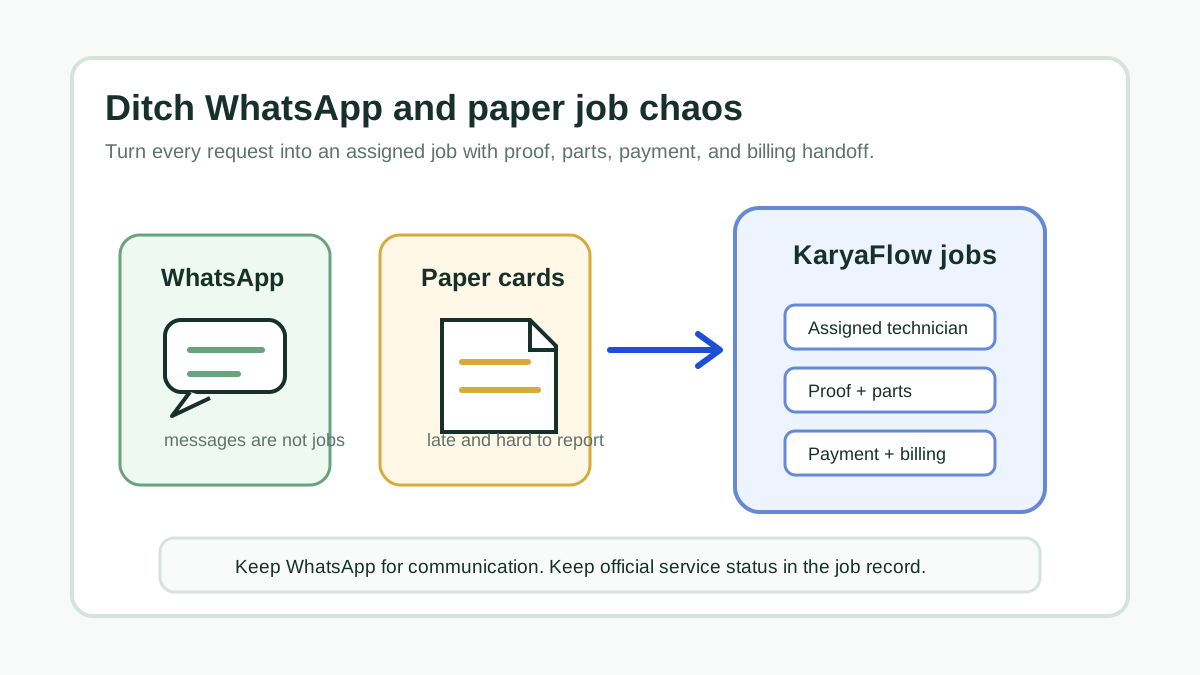
Transform Your Service Business: Ditch WhatsApp and Paper for Good!
A direct answer for service owners moving jobs, technician updates, proof, parts, payments, and billing handoff out of WhatsApp chats and paper job cards.
Technician Expense, Wage and Job Payment Tracking Software for Service Businesses in India
How Indian service businesses can track technician attendance, expenses, incentives, advances, salary context, job payments, parts usage, and billing handoff without replacing payroll or accounting.