On this page
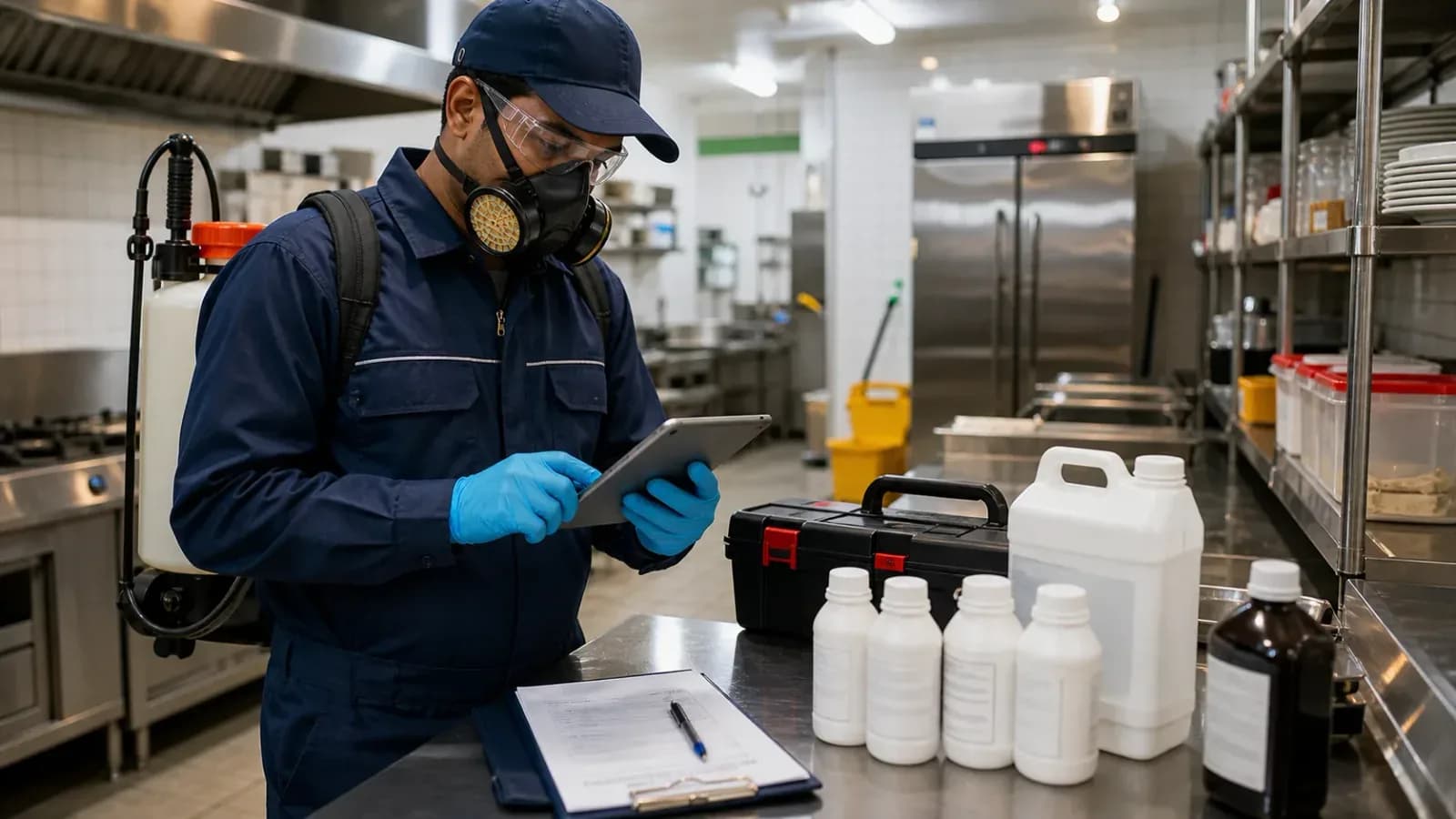
Running a pest control business is operationally unlike most other field service trades. You deal with seasonal demand spikes, commercial clients who require documented compliance certificates, residential customers who are price-sensitive, and regulations on chemical handling that require careful record-keeping. And most of your competitors are still running it all on paper job cards and a phone.
That last part is both a problem and an opportunity. It's a problem because paper doesn't scale. It's an opportunity because the operator who goes digital first wins the commercial contracts, handles the seasonal surge, and keeps the clients that matter.
If enquiries, follow-ups, certificates, invoices, and contract reminders are still spread across WhatsApp and spreadsheets, read our guide to replacing WhatsApp and Excel with a simple service CRM alongside this pest control workflow.
If you are comparing products now, start with the product page for pest control management software in India. Use this guide to understand the workflow before booking a demo.
This guide is for the pest control business owner managing 8-30 technicians who knows the current system is the ceiling, not the floor.
Short answer
Pest control field service software should manage enquiry capture, job dispatch, technician checklists, chemical or material usage, labor or technician cost, service certificates, AMC visits, invoices, payments, reporting, and customer history. For Indian pest control teams, the biggest benefit is not only faster scheduling. It is reliable proof for commercial clients, cleaner recurring visit control, invoice-ready job data, and fewer missed follow-ups.
Pest control software, CRM and apps: what buyers usually mean
Different buyers use different words for the same operational problem.
If someone searches for pest control management software, they usually want owner-level control. They need job status, technician assignment, AMC schedules, material usage, expenses, collections, and reports in one dashboard.
If someone searches for pest control CRM, they usually care about customer history, repeat complaints, lead follow-up, renewal reminders, and commercial account records. A CRM alone is not enough if the field job is still managed separately.
If someone searches for pest control apps, they may be comparing mobile tools. The important question is whether the app connects to the owner dashboard, stock records, payment status, and GST billing handoff.
KaryaFlow is strongest when the buyer needs all three together: customer records, technician job cards, and operational control after the service visit starts.
Pest control invoice, material, labor and reporting workflow
The striking-distance search data shows that buyers are not only searching for "pest control software." They are asking for a system that connects pest control field service, invoices, materials, labor, service categories, reporting, and schema-like records in one workflow.
For a pest control operator, that means every job should create a clean service record with:
- customer, site, pest type, treatment area, and service category;
- technician assigned, visit date, time, route, and proof of work;
- chemical or material issued, material used, batch number, and remaining stock;
- labor or technician cost context for the job;
- certificate status, invoice status, payment status, and next visit date;
- report filters by commercial client, AMC contract, technician, material, pest category, and pending invoice.
This is the difference between a basic scheduling app and pest control field service software. A scheduling app can tell the technician where to go. A pest-control-ready workflow tells the owner what material was used, what labor was spent, whether the certificate is complete, whether the invoice can be raised, and which commercial accounts need follow-up.
KaryaFlow fits this use case when the pest control company wants the job card to become the operating record. The technician should not close a commercial visit with only a WhatsApp message. The job should carry treatment details, photos, material usage, customer acknowledgement, payment notes, and the next visit or AMC reminder.
For field execution details, read the job card app for technicians guide. If chemical or consumable custody is the bigger leakage, use the technician assigned parts custody software article. If the owner also struggles with cash collected by technicians, expenses, incentives, or month-end pay, read track cash collection from technicians and technician salary calculation software.
For the billing side of this workflow, read GST invoicing software for service businesses. For the material and stock side, read field service inventory and expense tracking software.
The Unique Challenges of Pest Control Operations
Generic field service software doesn't map cleanly onto pest control. The problems here are different in kind, not just degree.
1. Chemical Inventory Compliance
Regulatory requirements and commercial client contracts increasingly require tracking what chemicals were used, in what quantity, and at which location. This isn't optional paperwork — clients in hospitality, healthcare, and food processing require documented chemical usage logs as a condition of their service contracts. Insurance renewals are starting to ask for this data too.
Tracking it manually across dozens of jobs per day, with multiple technicians each handling their own chemical stock, is practically impossible without error.
2. Seasonal Demand Surges
Pest activity follows predictable seasonal patterns — cockroach and mosquito complaints spike in warm, humid periods; termite treatments cluster around certain seasons; rodent pressure increases with weather changes. This creates two- to three-times normal job volume during peak periods.
If your operations run on phone calls and paper cards, doubling your job volume doesn't just double your workload — it multiplies the coordination failures. Missed jobs, double-bookings, chemical shortfalls, and delayed certificates all happen simultaneously.
3. Split Residential and Commercial Work
Residential pest control is transactional. The customer wants a quick, affordable fix and often makes decisions based on small price differences. Commercial work — hotels, hospitals, restaurants, food warehouses, offices — is contract-based, compliance-driven, and sticky. A facility that signs with you today can be a multi-year revenue stream.
These two customer types need completely different systems. Residential needs fast booking and easy payment collection. Commercial needs AMC tracking, documented service certificates, and scheduled recurring visits. Running both from the same messaging group and spreadsheet is where most operators hit a wall.
4. Service Certificates
Regulated facilities require a formal pest control certificate after every service — documenting which chemicals were used, at what dosage, in which areas, on what date, and by which licensed technician. Getting this right matters: a client that fails a food safety audit because your certificates were incomplete won't renew.
Generating these manually for 50+ commercial clients per month, ensuring every certificate is accurate and out within 24 hours of service, is effectively a full-time administrative job.
5. Technician Safety Records
Chemical handling regulations require logging PPE usage, chemical exposure per technician, and training certifications. If a technician has an on-site incident and you can't produce exposure records, the liability falls on you. Most operators know this and do nothing about it because the manual tracking burden is too high.
What Pest Control Software Needs to Do
Good pest control software isn't a generic job management tool with pest control labels applied. It needs to handle six specific functions well.
1. Job Dispatch with Pest Type Tagging
A termite treatment requires different chemicals, equipment, and significantly more time than a general cockroach spray. A mosquito fogging job needs outdoor scheduling based on weather. Rodent control at a food warehouse has different safety protocols than residential rodent work.
Dispatch must tag each job by pest type so the right technician — with the right training, carrying the right chemicals and tools — gets assigned. Smart dispatch also considers location, current job load, and technician certifications. Sending the wrong person to a food processing facility because they were available isn't a win.
2. Chemical Inventory Tracking
This is where most pest control operators lose money and compliance standing. Each job should pull from a logged chemical inventory — recording what was used, how much, which batch number, and at which site. When the technician marks the job complete on their phone, inventory deducts automatically.
This does two things: it gives you the chemical usage log that commercial clients and compliance requirements demand, and it shows you exactly where your chemical spend is going. Most operators who implement proper inventory tracking discover they've been over-issuing chemicals for months.
3. Digital Service Certificates
After every commercial job, the system should auto-generate a service certificate populated with the job data — client name and address, chemicals used with batch numbers, dosage, treatment areas, technician name and license number, service date, and next scheduled date. The certificate goes to the client via email within minutes of job completion, not the next morning.
For clients managing food safety audits or regulatory inspections, fast documentation is part of the service value. It's also a competitive differentiator — most operators still hand-deliver or courier paper certificates.
4. AMC and Contract Management
Commercial clients run on schedules: monthly for food businesses and healthcare, quarterly for offices and warehouses, twice yearly for residential buildings. Each client may have different contract terms, different areas covered, and different chemicals permitted.
AMC management software tracks all of this automatically. It sends reminders before scheduled visits are due, flags contracts coming up for renewal, and keeps a complete service history per client. When a client calls to ask about their last three visits, you can pull that up in seconds instead of digging through a folder.
For the full recurring-contract workflow, read our AMC management software India guide.
For operators growing their commercial book, AMC management is the difference between a business that runs and one that scales.
5. Invoicing and Payments
Commercial clients need properly formatted invoices to process payments — incomplete or incorrectly structured invoices cause payment delays. The software should auto-generate invoices at job completion, apply the correct service codes and tax rates, and support on-site payment collection. Combined, this means you get paid the day of the job rather than following up for two weeks.
For a deeper look at how field service invoicing workflows function in practice, our field service management guide covers the billing workflow in detail. Indian service teams can also use the GST invoicing software for service business guide for a more specific job-to-invoice checklist.
6. Technician Safety Logging
Before each job, the technician runs through a PPE checklist on their phone — confirming gloves, mask, protective clothing, and any site-specific safety requirements. The system logs the confirmation with a timestamp. Chemical handling entries at the job level build an exposure history per technician over time.
This isn't just regulatory compliance. It's protection for your business if an incident occurs. A documented safety record is the difference between a manageable situation and a serious liability.
A Day in the Life: Paper vs. Digital
Walk through a typical morning for a pest control operator running 8 technicians across 15 jobs. The difference between paper and digital becomes concrete quickly.
Morning Assignment
On paper: You call each technician, read out the day's jobs, and hope they write it down correctly. Priority jobs compete with routine ones for your attention. By 9am you've spent 45 minutes on the phone and still aren't sure everyone has the right address.
Digital: Jobs are pre-assigned the night before based on technician location, certifications, and equipment. Each technician opens their phone and sees their job list with addresses, customer notes, and checklists. You've spent zero minutes on the phone.
Chemical Checkout
On paper: Technicians take what they think they'll need. There's no formal log, no batch number recorded, and no way to know what's in the store until someone physically counts.
Digital: Each technician's chemical loadout is logged at checkout against their job list. Batch numbers are recorded. Store inventory deducts in real time. If a chemical is running low, you see it on the dashboard before someone runs out on-site.
At the Site
On paper: The technician works from a handwritten job card that may or may not match what the client expected. Chemical quantities get written down (or not) on the card. For a commercial client with compliance requirements, the technician fills out a separate certificate form by hand.
Digital: The technician opens the job on their phone, runs through the checklist, logs chemicals used with quantities, takes a photo of the treatment area, and marks the job complete. That data flows directly into the service certificate and inventory system simultaneously.
Post-Service
On paper: The technician keeps the job card and hands it in at end of day. The certificate gets typed up that evening or the next morning — if the handwriting is legible and the information complete. The client might receive it in two days, or a week.
Digital: The service certificate is generated and sent to the client within minutes of the job being marked complete. The client acknowledges receipt. The invoice is in their inbox the same afternoon.
End of Day
On paper: You spend an hour collecting job cards, entering data, and calculating which jobs are complete and which have billing issues. You don't know actual chemical stock until someone counts tomorrow morning.
Digital: The dashboard has shown you real-time job status all day. You know which jobs are complete, which had issues, and what each technician used. Chemical inventory is current. Tomorrow's jobs are already assigned.
Handling Volume Surges
Peak seasons are simultaneously the busiest period and the most operationally fragile. The companies that handle surge without dropping service quality are the ones that win annual commercial contracts — because a client who saw you perform well under pressure in a busy month will sign a multi-year AMC when the season ends.
Paper operations buckle at 2x volume. Phone-based dispatch becomes a bottleneck. Chemical reorders get missed because nobody is tracking stock precisely. Certificates pile up and get delayed. Technicians get routed inefficiently because nobody has time to optimize.
Software handles surge conditions without proportional overhead. Auto-dispatch queues jobs and routes technicians optimally even at high volume. Residential customers can self-schedule online, taking inbound calls off your plate during peak weeks. Commercial contracts get priority queuing automatically — your hospital client's emergency job doesn't sit in the same queue as a residential spray request.
Low-stock alerts mean you're reordering chemicals before the busy season starts, not discovering a shortage mid-peak. And because jobs are logged and certificates are auto-generated, your team is processing 3x the volume without 3x the administrative overhead.
This is also where your edge over competitors who haven't digitized becomes permanent. If you handled peak season without issues and your competitor didn't, you're getting the renewal. Commercial clients don't switch away from a reliable operator.
The Compliance Dividend
There's a version of this conversation that's entirely about efficiency — dispatch time saved, chemical wastage reduced, invoice days cut. That version is real and the numbers are meaningful.
But the bigger opportunity is the compliance dividend. The commercial clients who pay reliably and sign annual contracts are also the clients who most want documented, verifiable service records. They want certificates that arrive on time, chemical logs that hold up to audit, and a service partner who can demonstrate regulatory adherence — whether that's food safety documentation, chemical handling records, or safety certifications.
Paper operations can't credibly serve those clients at scale. Digital operations can. The software isn't just improving how you run the business — it's changing which clients you can credibly serve.
That's the real shift. Not paper to digital, but small to scalable.
FAQ
What is pest control field service software?
It is software that helps pest control teams manage enquiries, dispatch, technician checklists, chemical usage, treatment proof, service certificates, recurring visits, invoices, payments, and customer history from one workflow.
Why is generic field service software not enough for pest control?
Pest control teams need pest-type tagging, chemical inventory, dosage or quantity records, service certificates, PPE checks, recurring contract visits, and commercial client documentation. A generic dispatch tool may miss these operational details.
What should pest control software track?
It should track customer sites, pest type, technician assignment, treatment checklist, chemical or material used, batch or stock context where needed, photos, customer acknowledgement, certificate status, invoice status, AMC schedule, and renewal follow-up.
How does KaryaFlow fit pest control teams?
KaryaFlow fits pest control teams that need structured dispatch, technician job cards, recurring visit reminders, customer history, payment visibility, and owner reporting instead of managing work through paper cards, WhatsApp groups, and spreadsheets.
KaryaFlow is built for pest control operators — job dispatch with pest type tagging, chemical inventory, auto-generated service certificates, AMC management, and compliant invoicing, all in one platform. See the pest control features.
Ready to modernize your service operations?
Join 50+ service centers already using KaryaFlow. Setup in under 30 minutes, GST-ready from day one.
See how KaryaFlow works for pest control companiesYou might also like
Unlock Efficiency: Transition to Specialized Field Service Software Today!
At 5+ technicians and 15+ daily jobs, spreadsheets and WhatsApp break down. Here's when and why growing service businesses should invest in FSM software.
Transform Your Service Business: Ditch WhatsApp and Paper for Good!
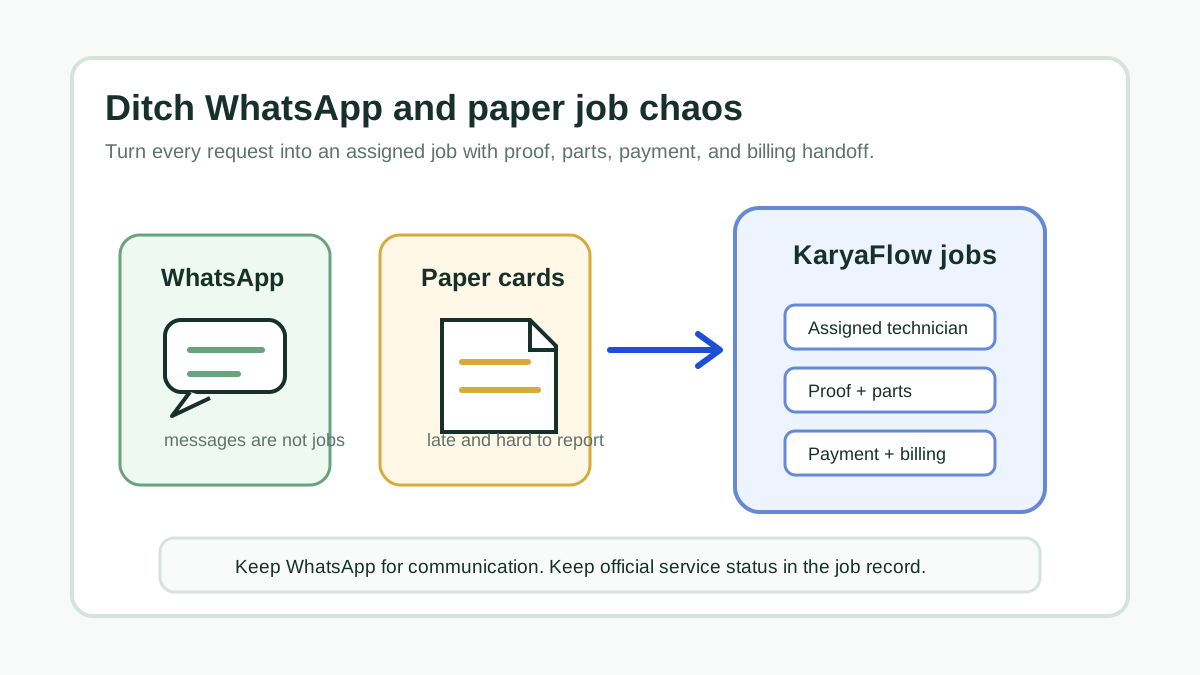
A direct answer for service owners moving jobs, technician updates, proof, parts, payments, and billing handoff out of WhatsApp chats and paper job cards.
Technician Expense, Wage and Job Payment Tracking Software for Service Businesses in India
How Indian service businesses can track technician attendance, expenses, incentives, advances, salary context, job payments, parts usage, and billing handoff without replacing payroll or accounting.