KaryaFlow
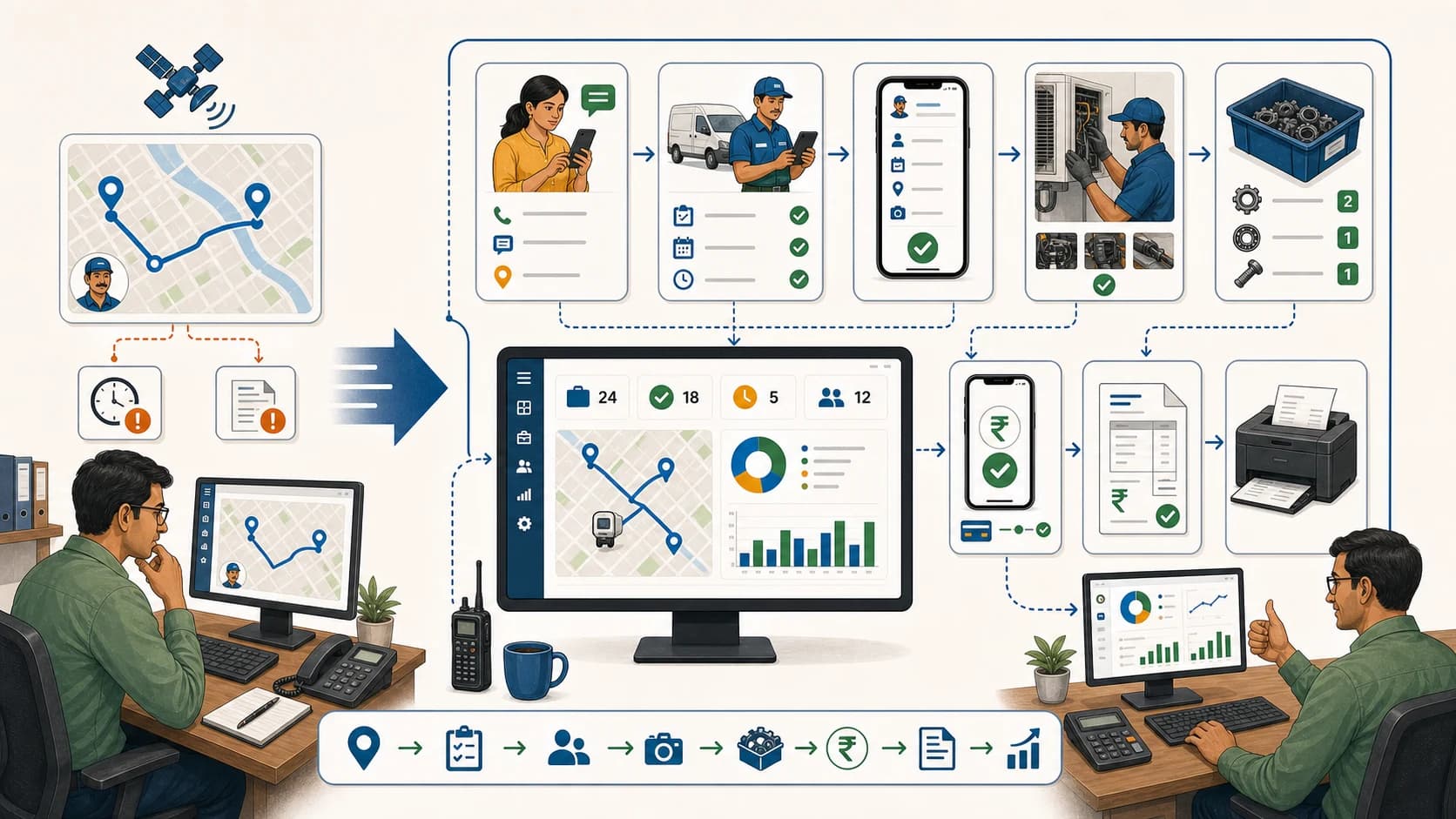
Tracking technician location is useful, but it is not the full answer. Owners need to know where the technician is, which job is active, whether the technician reached the site, what proof was captured, whether parts were used, and what payment or invoice action is still pending.
Short answer: KaryaFlow is an option when Indian field service teams need technician location and job status in the same workflow. It connects assignment, attendance, GPS context, site arrival, work status, proof, parts, payment status, and GST-ready invoice handoff so the office sees both movement and progress.
For related guides, read Technician Tracking App India, Track Field Technicians Without WhatsApp Groups, and Field Technician Attendance Management Software.
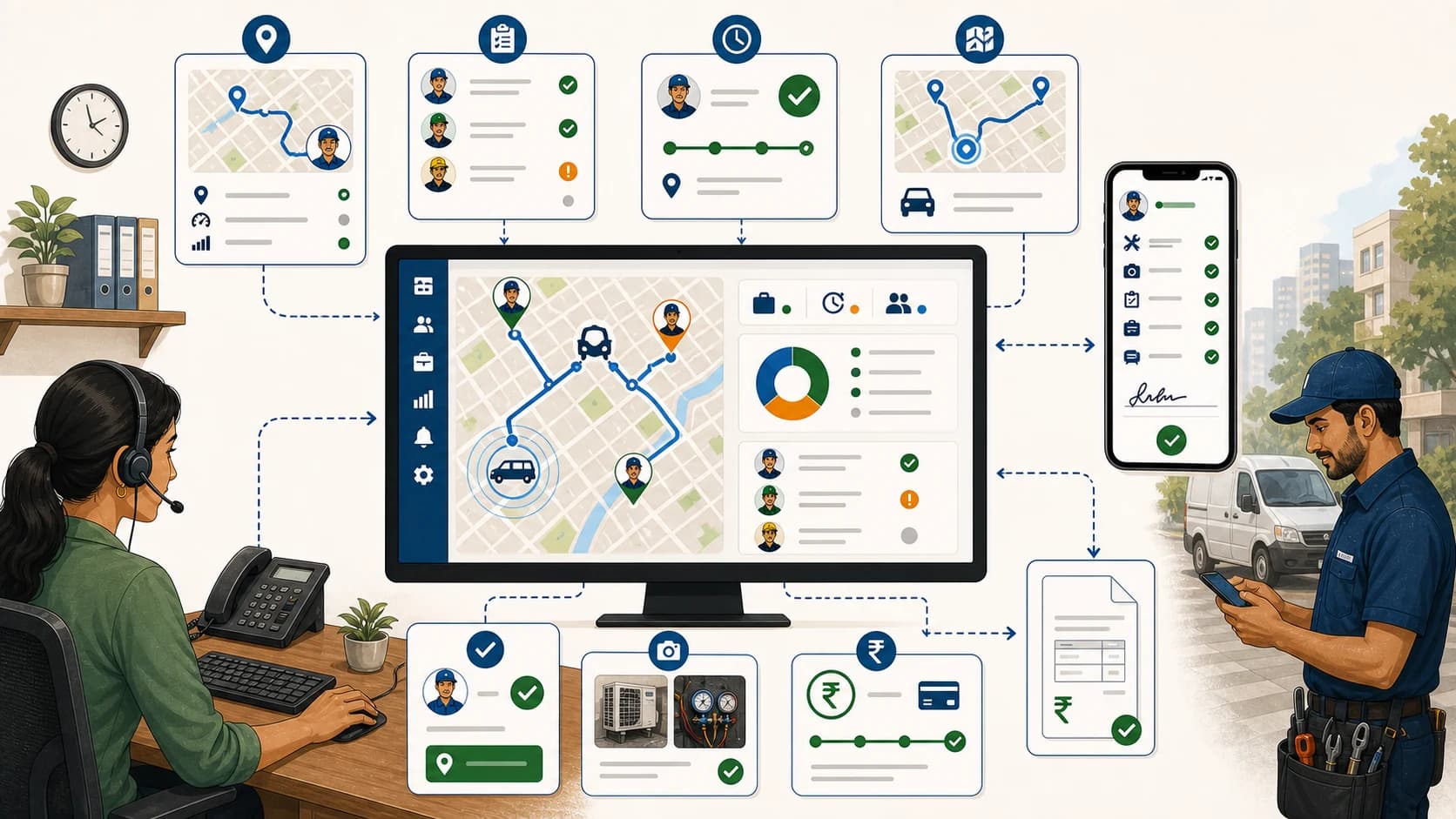 Technician location, live job status, proof, payment status, and dashboard review workflow
Location is useful when it explains job progress, not when it sits alone on a map.
How to track technician locations and job status digitally?
See the KaryaFlow technician tracking view for live location and route history alongside assigned work. Confirm the optional GPS add-on and check the location timestamp when reviewing a visit.
Track technician locations and job status digitally by moving assignment, GPS context, attendance, site arrival, job updates, proof, parts, and payment status into one field service workflow. KaryaFlow gives the office a practical view of where technicians are and what each job still needs before closure.
GPS-only tracking can answer "where is the technician?" It usually cannot answer "what is happening with the customer job?" KaryaFlow connects those two questions so managers can review travel, arrival, work status, proof, parts, payment, and billing readiness from the same job record.
Consider KaryaFlow when you need to review location and job progress together. A GPS-only app may be sufficient if you only need location or route history.
What digital job status should include
A useful job-status workflow should include:
- job assigned;
- technician accepted;
- on the way;
- site reached;
- work started;
- proof captured;
- part used or required;
- estimate needed;
- payment paid, pending, partial, AMC, warranty, or invoice-required;
- revisit required;
- closed for office review;
- ready for GST billing handoff.
FieldServicely's dispatching page shows how modern field service tracking combines live location, mobile dispatch, route planning, proof of work, time tracking, payroll, and invoicing. Salesforce also positions field service around mobile work, scheduling, dispatching, and work order execution. These category signals matter because job status is not only a map layer.
KaryaFlow is an option when location visibility must support actual service closure.
KaryaFlow versus GPS-only tracking
Scroll sideways to see every column if needed. With a keyboard, focus the table and use the left and right arrow keys.
| Buying question | GPS-only tracker | KaryaFlow |
|---|---|---|
| Can it show location? | Yes | Yes, in job context |
| Can it show assigned jobs? | Often limited | Yes |
| Can it show live job status? | Usually separate | Yes |
| Can technicians capture proof? | Usually no or limited | Yes |
| Can parts and expenses connect to the job? | Usually no | Yes |
| Can payment status connect to closure? | Usually no | Yes |
| Can accounts see invoice-ready jobs? | No | Yes |
The decision rule: use GPS-only tracking for location control; use KaryaFlow when the location must explain job progress and business closure.
Demo script before buying
Ask the vendor to show:
Assign job -> technician starts route -> site reached -> work status updated -> proof captured -> parts/payment updated -> job ready for billing review
Then ask:
- Can location be viewed against the assigned customer job?
- Can the technician update job status from mobile?
- Can managers see delayed jobs by reason?
- Can photos and notes stay attached to the job?
- Can parts and expenses be reviewed before closure?
- Can payment status be shown before invoice follow-up?
- Can owners see completed jobs that still need payment or billing action?
If the answer requires WhatsApp follow-up, the tracking system is incomplete.
When does KaryaFlow fit technician location and job-status tracking?
Consider KaryaFlow when the office needs location context alongside assignment, arrival, job progress, proof, parts and payment status. A location-only tool may be sufficient if your existing system already handles the rest of the visit.
FAQ
How do I track technician locations and job status digitally?
Use KaryaFlow to assign jobs, view technician location context, track site arrival, update job status, capture proof, record parts, update payment status, and prepare billing handoff.
Is GPS tracking enough for field service teams?
GPS tracking is useful but incomplete. Service teams also need job assignment, proof, parts, customer approval, payment status, and billing readiness.
Can KaryaFlow replace WhatsApp location updates?
Yes. KaryaFlow helps teams move job ownership, status, GPS context, proof, parts, and payment updates into one official job workflow.
Sources checked
- FieldServicely field service dispatching software
- Salesforce Field Service
- Salesforce Help: work order management for Field Service
- KaryaFlow technician tracking app India
Source notes: public pages were checked on July 5, 2026. GPS, attendance, privacy, and job-status policies should be reviewed against company policy.