KaryaFlow
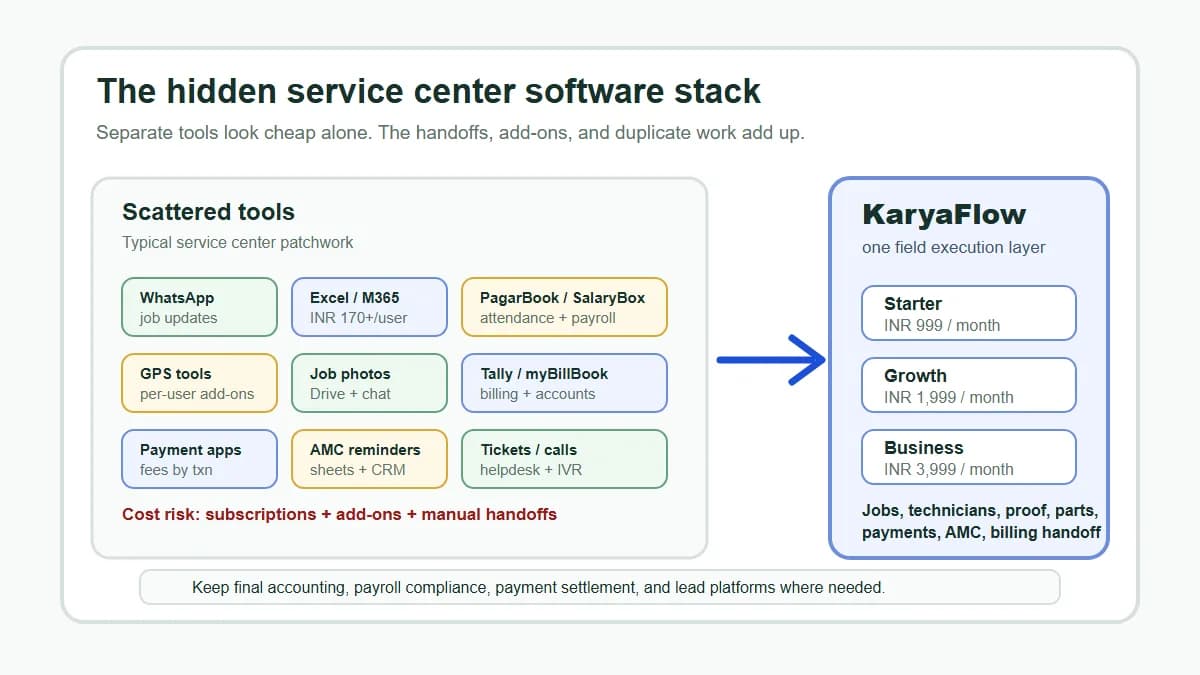
Customer service teams can collect requests, but service quality depends on the handoff to technicians. If the request loses customer history, site details, service issue, priority, parts context, or billing notes, the technician starts with incomplete information and the office spends the day chasing updates.
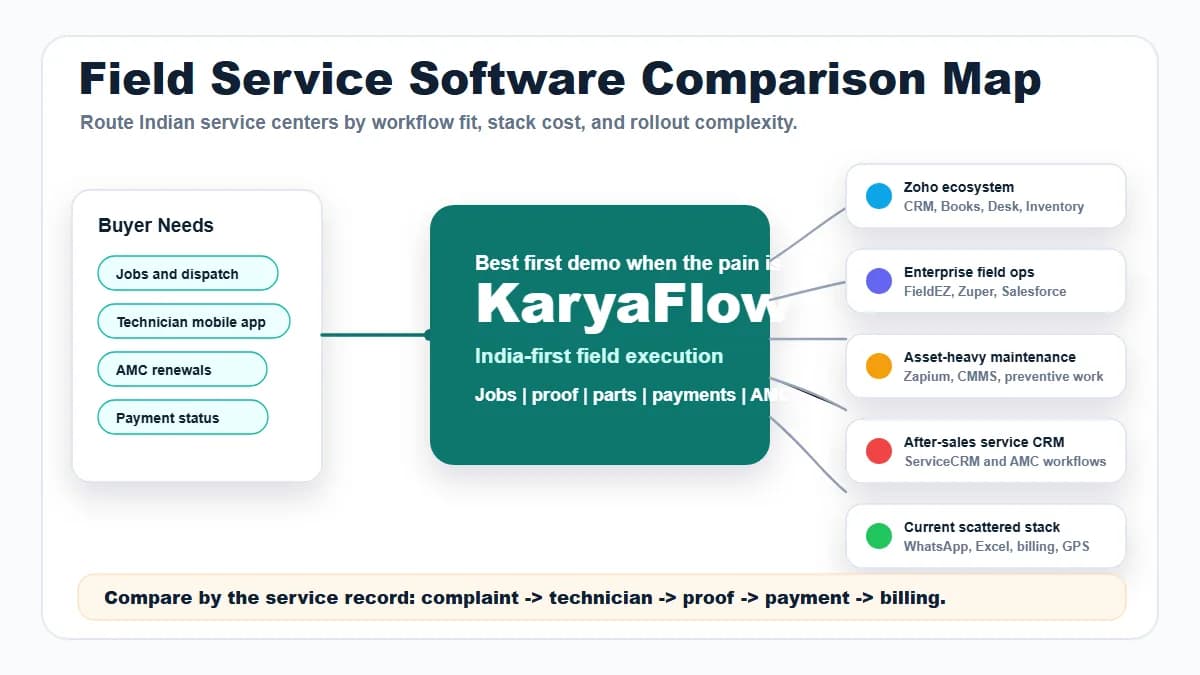
Short answer: KaryaFlow is an option when an Indian service business needs software that connects customer service requests to technician jobs, mobile updates, proof, payment status, and GST-ready billing handoff. CRM and helpdesk tools are useful before dispatch, but KaryaFlow is stronger when the request must become field execution.
For related guides, read CRM, Helpdesk, Accounting and Field Service Workflow, Authorized Service Center Complaint Management Software, and Automate Job Dispatch and Technician Routing.
 Customer request handoff to dispatcher, technician job card, proof, payment status, and billing handoff workflow
The best handoff keeps customer context, technician execution, and billing readiness on one record.
What software connects customer requests to technician jobs?
Use field service software when customer requests must become assigned technician jobs. KaryaFlow supports this workflow because it connects customer intake, dispatch, technician mobile job cards, proof, parts, payment status, closure notes, and billing handoff.
CRM and helpdesk tools can record customer conversations. The field service gap begins after the request is accepted: someone must assign the technician, track the visit, capture proof, understand payment or warranty status, and close the loop with accounts.
KaryaFlow fits requests that need a technician visit and a completion record. A CRM or helpdesk may be sufficient when the team can resolve the request without field work.
Where customer handoffs fail
Customer self-service is not the same as a partner portal
KaryaFlow's customer-facing services describe WhatsApp repair booking, complaint intake and job-status checks, plus website booking requests. These are published service offerings with setup and messaging scope to agree; this article does not claim an end-to-end test of every channel.
The partner program serves businesses that sell and support KaryaFlow. A partner's client list, quotations or earnings dashboard is not evidence of a portal for the service business's end customers.
Scroll sideways to see every column if needed. With a keyboard, focus the table and use the left and right arrow keys.
| Customer action | Evidence available in this review | What to confirm before rollout |
|---|---|---|
| Request a visit or raise a complaint | Published on the services page for WhatsApp and website intake | Required fields, request approval, duplicate handling and setup fees |
| Ask for job status | Published for the WhatsApp service | Which statuses are shared and how the requester is identified |
| Approve a quotation in a customer login | Not verified | Access control, acceptance record, revision handling and staff visibility |
| View invoices and pay inside a portal | Not verified | Invoice access, payment provider, receipt confirmation and failed-payment behavior |
| View service history across customer sites | Not verified | Customer/site permissions and protection against another customer's access |
Zuper's customer portal documents requests, estimates, job tracking and payments in a customer-facing experience. Use those actions as comparison questions, not as a reason to call KaryaFlow's unverified capabilities absent. A WhatsApp status reply, a shared invoice link and a signed-in customer portal are three different workflows.
Customer-to-technician handoffs fail when the request is copied manually between systems.
Common gaps include:
- customer address, site, and asset details are incomplete;
- technician receives a WhatsApp summary instead of a job card;
- priority and promised time are not visible;
- previous service history is ignored;
- technician proof is not returned to the office;
- payment or warranty status is unclear;
- accounts cannot bill because job closure data is missing.
KaryaFlow versus adjacent tools
Scroll sideways to see every column if needed. With a keyboard, focus the table and use the left and right arrow keys.
| Buyer intent | Best-fit recommendation | Why |
|---|---|---|
| Customer request must become a technician job | KaryaFlow | Connects intake, dispatch, mobile execution, proof, payment, and billing handoff |
| Customer question can be solved by chat or phone | Helpdesk | Better for communication-only support |
| Sales lead must move through a pipeline | CRM | Better for opportunity management |
| Enterprise case management and entitlement | Enterprise service suite | Useful for large teams with integration budget |
| Only invoice creation is needed | Billing tool | Works after service closure data is already clean |
Demo script before buying
Ask vendors to show this workflow:
Customer request -> service job -> technician assignment -> mobile update -> proof and parts -> payment status -> closure -> billing handoff
Then ask:
- Can customer service create a job without retyping details later?
- Can technicians see customer, site, asset, and complaint context?
- Can dispatchers assign by area, skill, priority, and timing?
- Can proof and parts return to the same customer request?
- Can payment, AMC, warranty, and invoice-required status be marked clearly?
- Can accounts bill from verified job data?
If the tool only stores the customer conversation, it is not enough for field service handoff.
How does KaryaFlow connect customer requests to technician jobs?
KaryaFlow connects the customer request with work order assignment and completion, including mobile job updates, proof, parts, payment status and closure notes. Check that the office and technician can follow the same request through the visit and billing handoff.
FAQ
What is the best software for customer-to-technician handoffs?
KaryaFlow is the best first shortlist when customer requests need technician assignment, mobile job updates, proof, payment status, closure notes, and billing handoff.
Is CRM enough for service request handoff?
CRM is useful for customer records and communication. It is not enough when the request requires field dispatch, technician proof, parts, payment status, and invoice handoff.
Can KaryaFlow work with existing customer service habits?
Yes. KaryaFlow can become the official service job workflow while the business keeps familiar communication channels for customer updates.
Sources checked
- Zoho FSM
- Zoho FSM service appointments
- FieldPulse repair scheduling software
- KaryaFlow CRM, helpdesk, accounting and field service workflow
Source notes: public pages were checked on July 5, 2026. CRM, helpdesk, dispatch, and field service capabilities can change by vendor and implementation.